02 · Website design

A restaurant website that gets found

For independent restaurants that want a site they can edit between services. Scan your menu, choose a design, publish. Search readiness ships with it.

  • 50complete restaurant templates
  • 68modules in the editor
  • £19a month excluding VAT, free until you publish
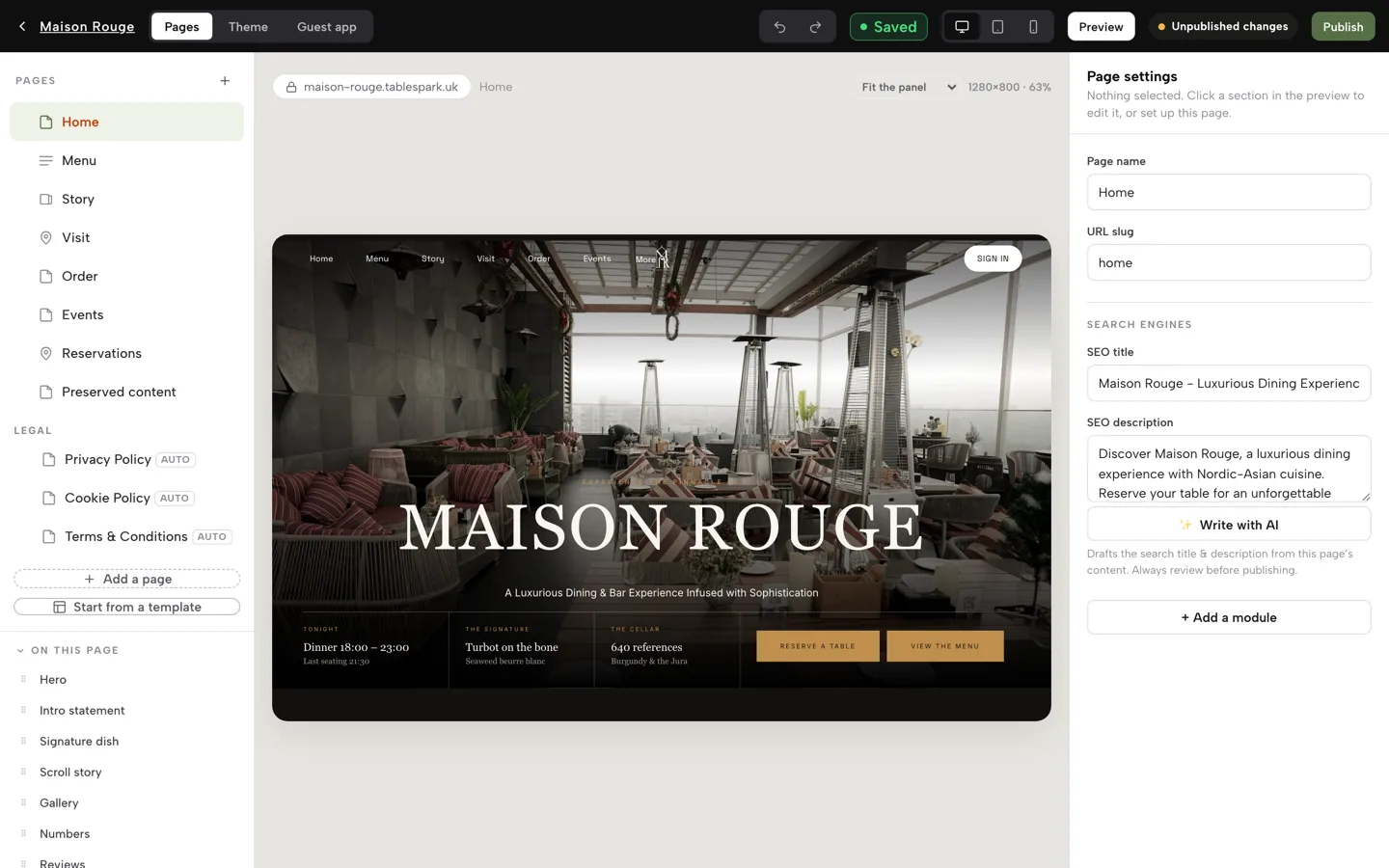
The TableSpark site editor showing a restaurant home page with the page list, sections and SEO fields

A live link is not the same as being found

Your site loads. Your family can open it. Yet a guest who types your name can still land on a directory with last winter's hours, or a marketplace that books the table and charges you commission.

The causes are ordinary and invisible: a menu locked inside a PDF, titles that say nothing, two addresses claiming to be the real page, no structured restaurant data, search setup left half done. You see it only as covers you did not get.

Choose by what guests need first

50 complete restaurant templates

Each template is a full multi-page site, and they differ in what comes first: the booking, the menu, the room or the order button. Preview any of them page by page before you choose.

  • Filter by style, from nordic minimal to dark cinematic
  • Use this template carries your text and images across
  • Content with no matching section is kept on a hidden recovery page
  • Theme tab: six style presets, accent colour, fonts, motion
Choose a design, step by step
The templates across phone, tablet and desktop, 55 seconds. Watch on YouTube

Edit in your own words

A drag-and-drop editor with 68 modules

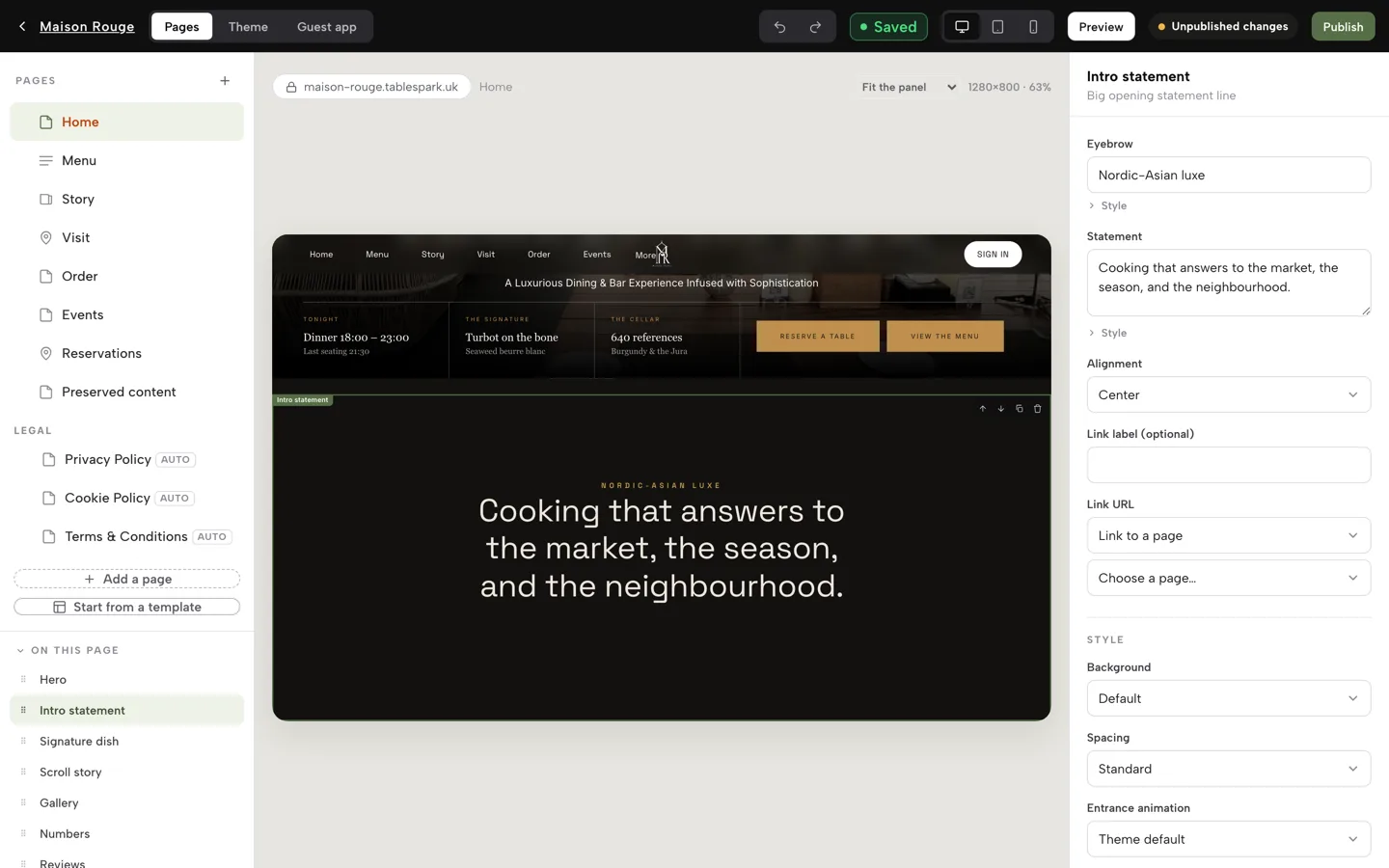
Click a section in the preview, type in the fields on the right, and the page updates as you go. Switch the preview between desktop, tablet and phone before you publish.

  • Reorder sections by dragging; undo and redo built in
  • Modules for hero, menu, specials, gallery, events, team, reviews, maps and hours
  • Booking, order, gift card and enquiry modules sit in the same list
  • Privacy, Cookie and Terms pages generated from your store details
Edit your site, step by step
The site editor with the page list on the left, a live preview in the middle and the selected section's fields on the right

Your menu as real page content

A live menu with a QR-ready link

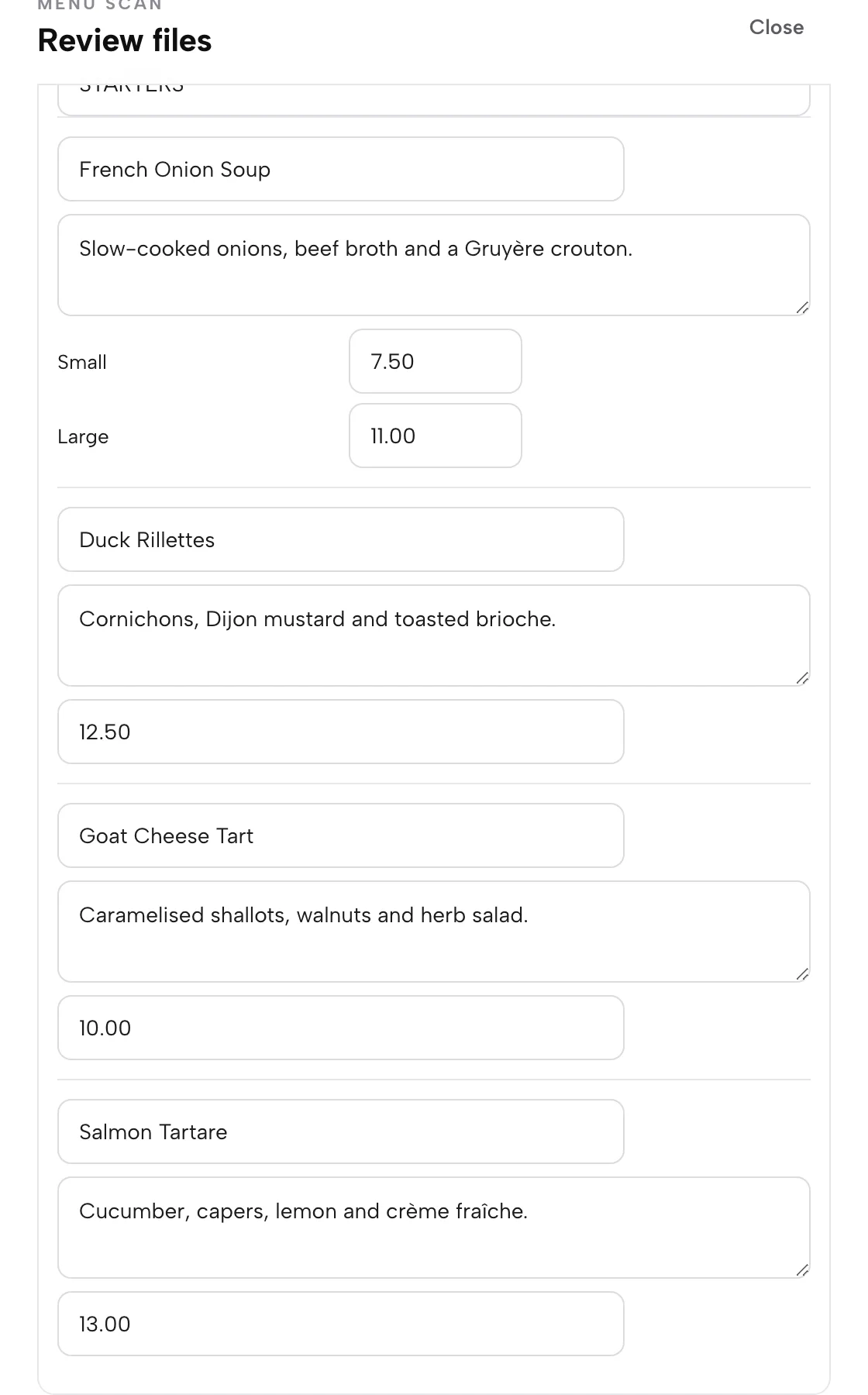
The menu is text on your site, not a PDF: readable on a phone, searchable and translatable. Change a price on the Menu page and the live site updates at once.

  • Dietary tags, spice levels and the 14 UK allergens per dish
  • Sold out switch: dish stays on the page, struck through
  • Language switch for guests when your menu carries two languages
  • One owned menu link for table cards, windows and social profiles
Put your menu online, step by step
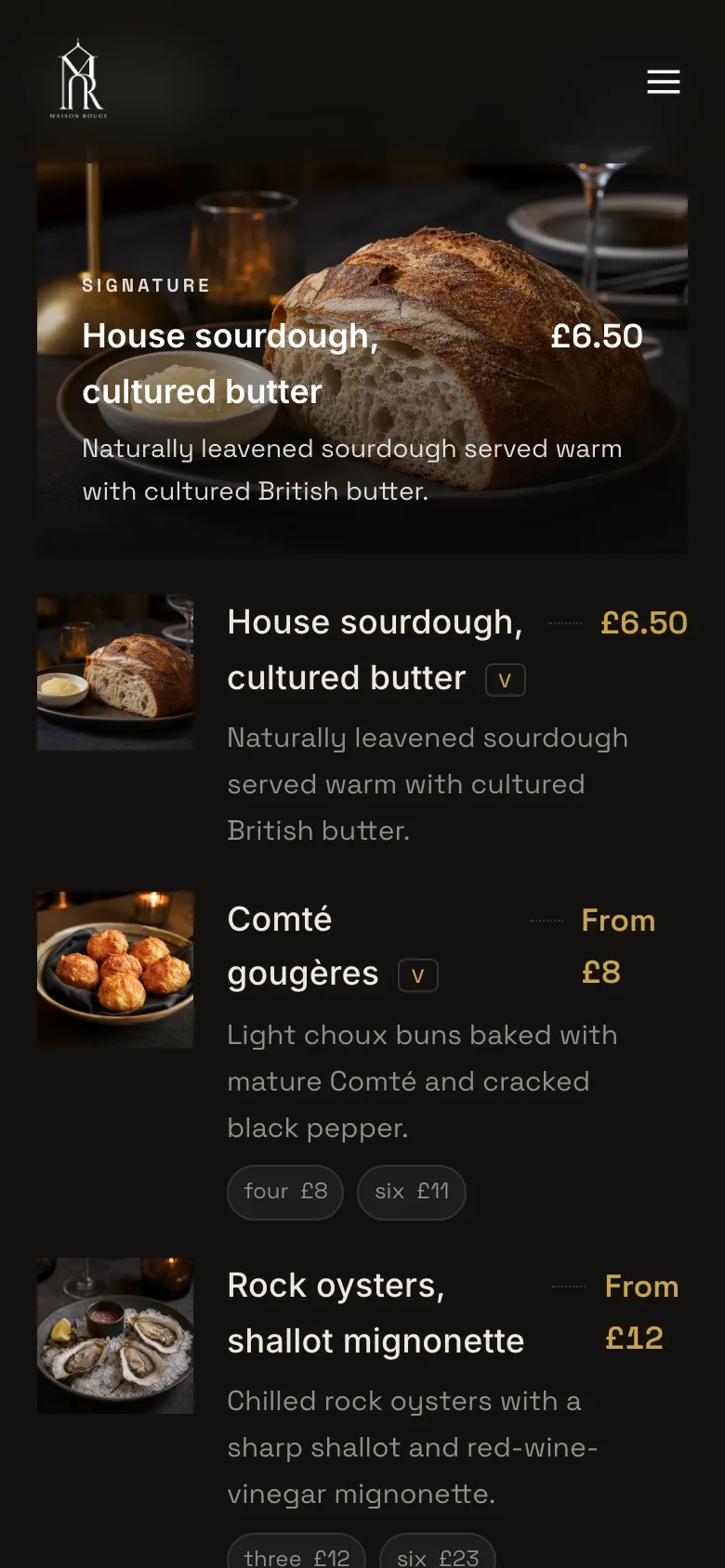
A restaurant's live menu on a phone: dietary key, a section heading, a featured dish with photo and price, then dish rows

The facts guests get wrong

Opening hours, bank holidays and events

Set the weekly hours once and the site shows a live "Open now" badge. Add the day you close or the evening you open late, and every place the hours appear stays right.

  • Weekly schedule per day, with split service windows
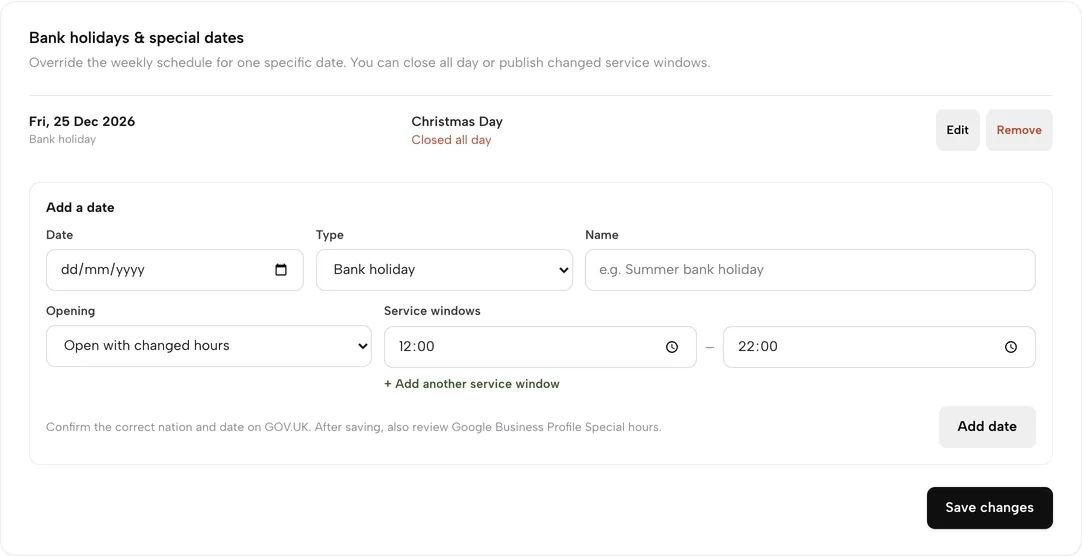
  • Bank holidays and special dates: closed all day or changed hours
  • Events with dates on their own page and as a homepage module
  • Tap-to-call, directions and Instagram, map and social links
Set hours and special dates
Settings: a 25 December bank holiday marked closed all day, with the Add a date form below

Technical SEO, included

Search readiness on every page

Publishing a page is not the same as delivering a site Google can discover and understand. TableSpark builds the technical layer in, and you write the words guests search.

  • Restaurant and LocalBusiness schema: hours, address, cuisine, menu
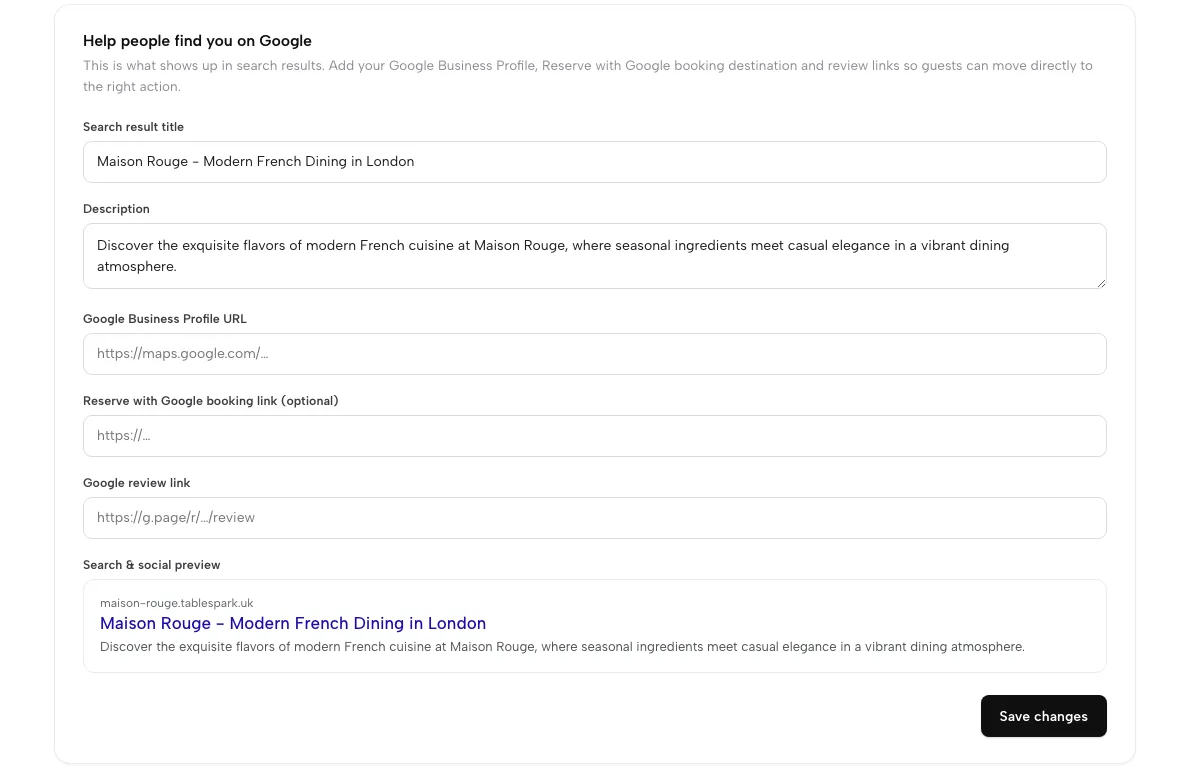
  • A search title and description per page, with a live results preview
  • Canonical URLs, sitemap, robots controls and internal links, generated for you
  • Mobile-first output; Google Business Profile and review links in one place
Set your search details
Settings, SEO: search result title, description, Google profile and review links, and a live search preview

Watched, not hoped about

Search Console set up for you

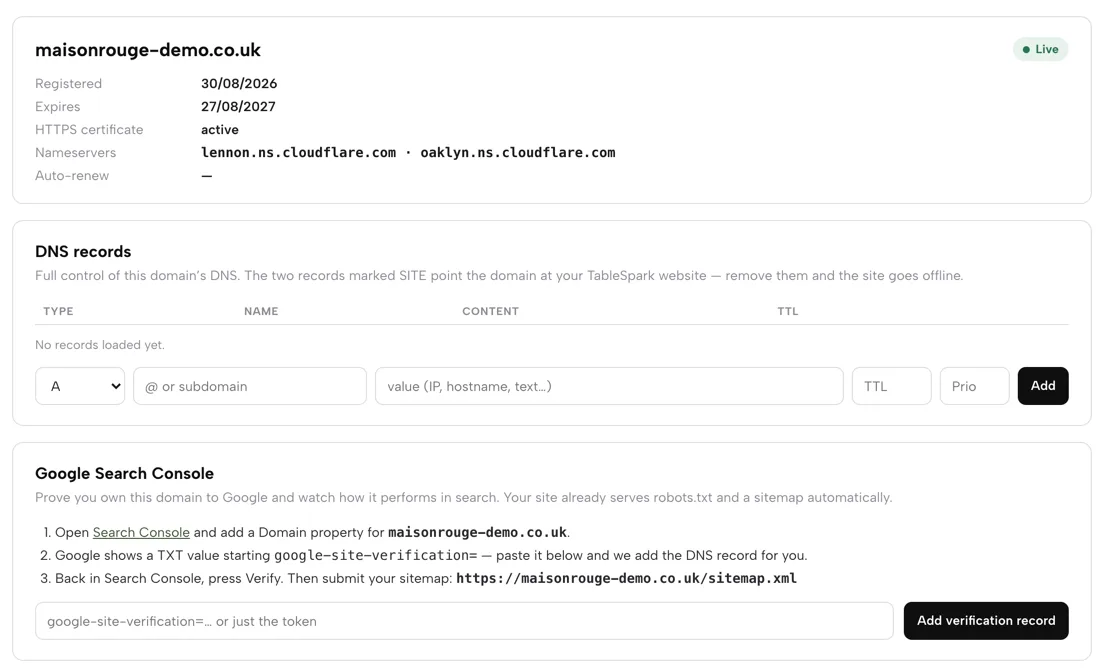
Every publish submits your sitemap to Google Search Console and pings IndexNow. A custom domain gets its own verified property, and you can see the same reports in your own Google account.

  • Verification handled in the background; or paste a token yourself
  • Sitemap address printed, ready to submit
  • Optional Reserve with Google booking link: Book a table sends guests to your booking page
  • Indexing and ranking remain decisions for Google; nothing is promised
Verify with Google, step by step
The Domain page: live domain status with HTTPS active, DNS records, and the Google Search Console card with its three steps and sitemap address

Free address first, your name when ready

Your own domain with managed SSL

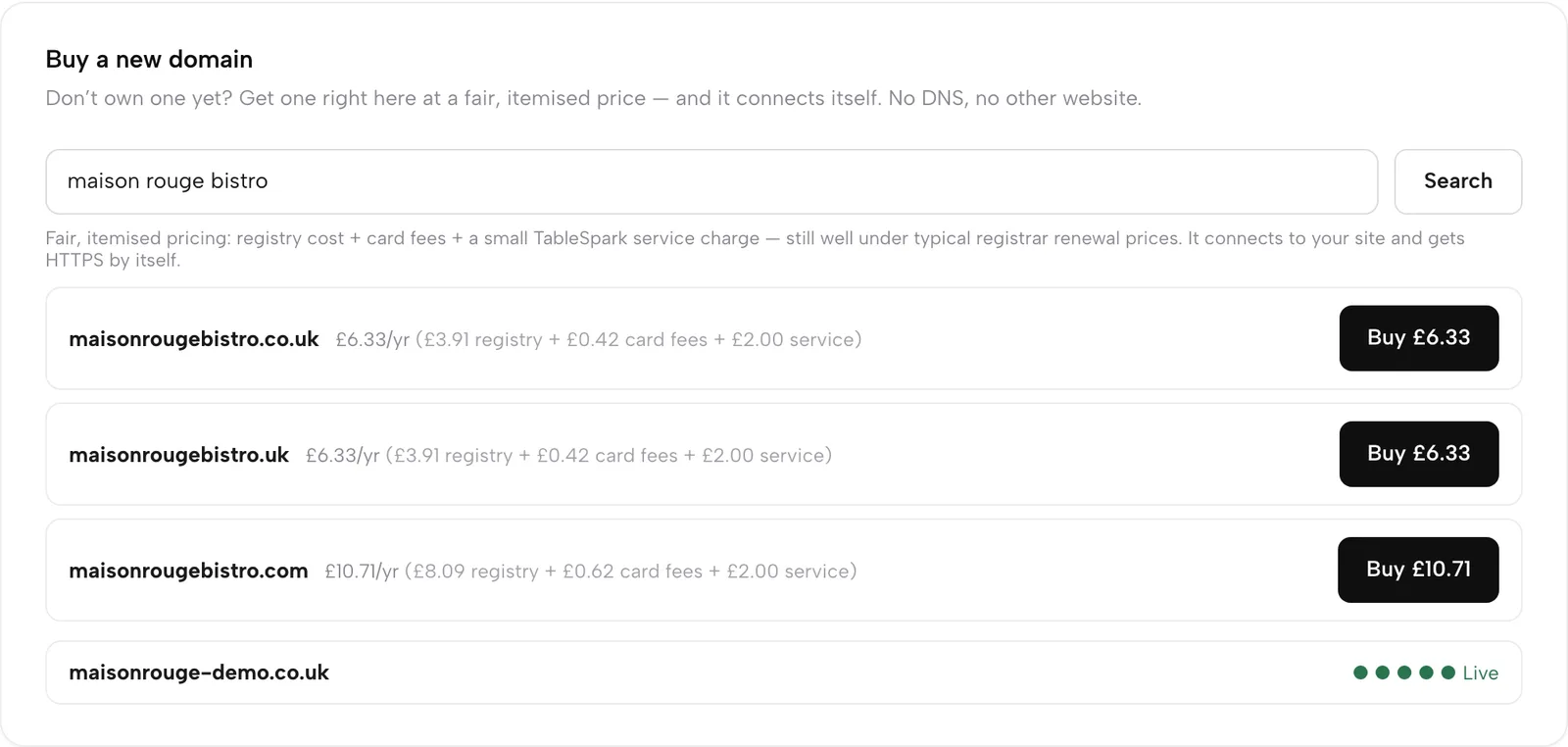
Publish free on your-name.tablespark.uk, then add your own name. Buy one inside Settings with the price itemised, or connect a domain you already own with a single record.

  • A .co.uk search shows its itemised first-year price, from £6.33 a year
  • Bought here, it connects itself; connected, you copy one CNAME
  • HTTPS issued and renewed for you, with the padlock
  • DNS control and transfer out are buttons on the Domain page
Set up your domain, step by step
Buy a new domain: a name search showing .co.uk, .uk and .com with itemised first-year prices

Watch it

Watch the whole build

Template, menu scan, edit and publish, recorded on the live app.

Watch on YouTube

How it connects

The site is where the rest starts

Add booking and ordering modules to the same pages, and every enquiry lands in one Inbox.

Plan & price

Website design is on every plan

Starter is £19 a month excluding VAT. You build free and pay when you publish. A custom domain with managed SSL comes with Growth (£39 a month) and Full (£69 a month), both excluding VAT.

Prices exclude VAT. 0% TableSpark commission on the bookings and orders your plan includes. Stripe’s standard card-processing fees apply to online payments. Compare every plan.

Questions owners ask

Do I need a developer?

No. Structured data, sitemaps, canonicals and search verification are configured for you. The one technical step, if you connect a domain you own, is copying a single DNS record.

Will this get me onto Google's first page?

No tool can promise that. Google decides what to index and how to rank it. TableSpark handles the technical reasons a restaurant site goes undiscovered.

How long does the first version take?

Most of an afternoon. The menu scan removes the longest job, and you can keep editing after you publish.

What happens when a price changes?

Change it on the Menu page and the live site updates at once. Publishing a page edit pings search engines, so the new page is put forward promptly.

Can I keep my existing domain?

Yes. Connect it with one CNAME record and HTTPS follows. Or buy a new one in Settings; either way it is yours to transfer out.

Where do enquiries and sign-ups go?

Into your Inbox and guest list under your TableSpark account, exportable to CSV whenever you like.

Build the whole site before you pay

Scan your menu, pick a design, and publish when you are ready.