Template library · Avant-garde

Delirio — an avant-garde tasting menu website template

For kitchens where dinner is a performance and the menu is a script: a dark, theatrical template with a concierge opening and a reservation flow built for a room that sells out months ahead.

Avant-gardeMaison Luxe · Concierge6 pages · 43 editable sections0% commission
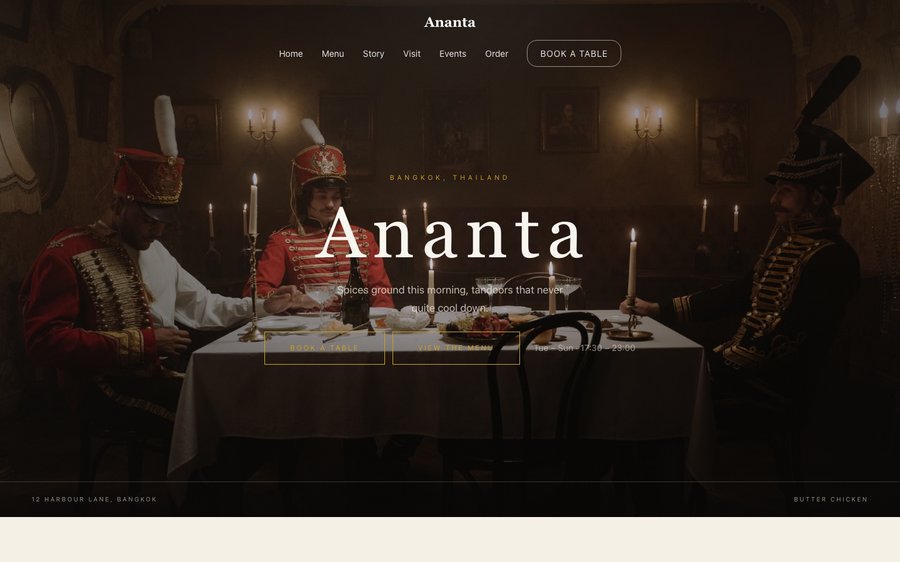
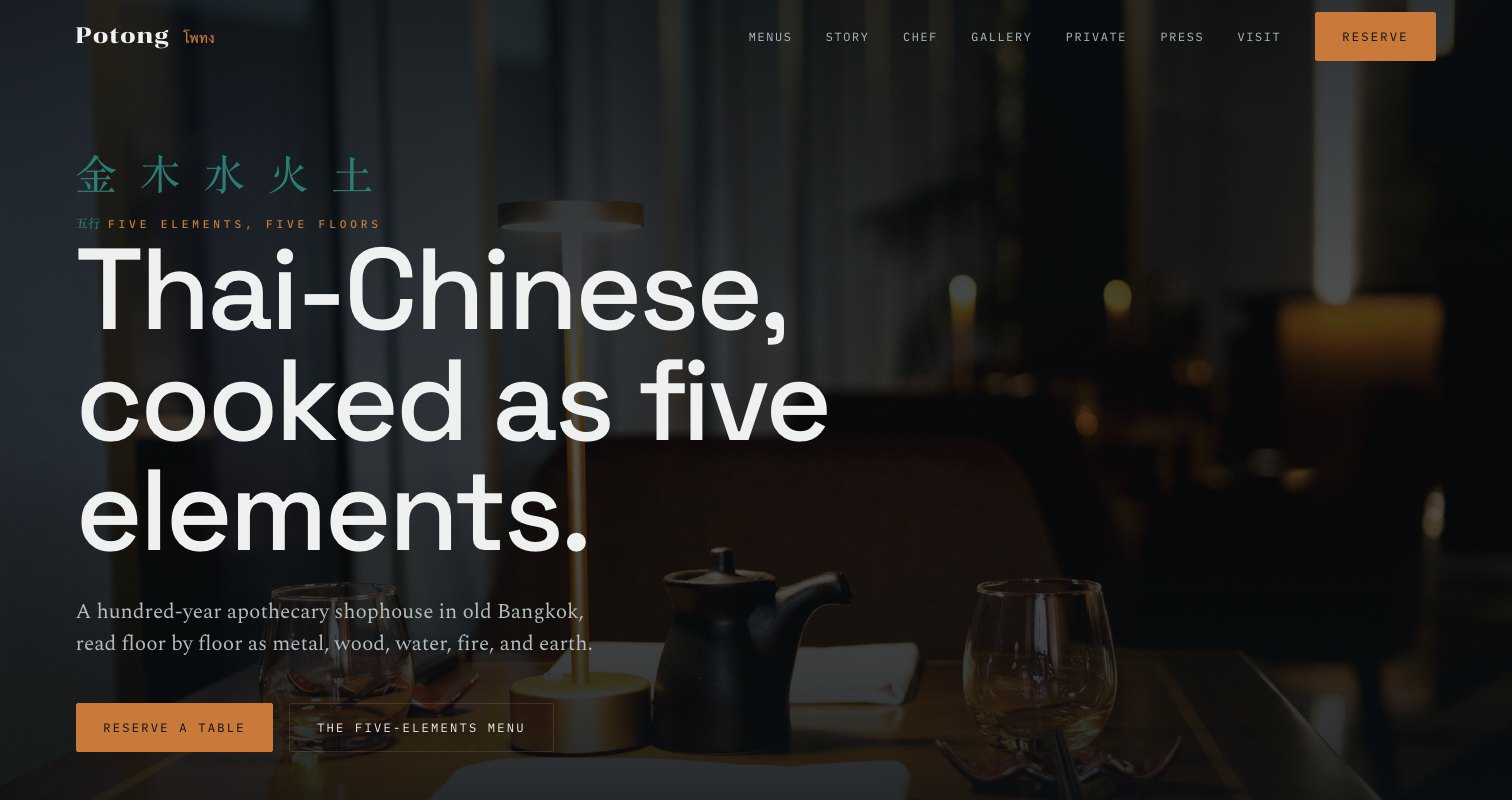
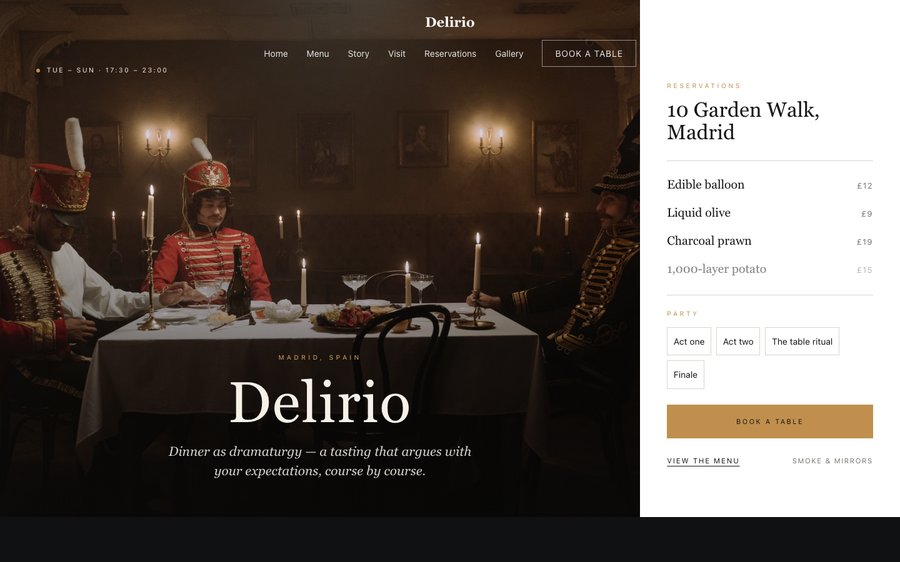
Delirio, an avant-garde tasting menu website template — the home page as it publishes
Delirio · Madrid, Spain

Starter is £19/mo excl. VAT and includes a complete restaurant website, a live structured menu, enquiry and newsletter forms, and managed search readiness. Growth is £39/mo excl. VAT and adds direct live bookings, a custom domain with managed SSL, and table and floor-plan operations. Full is £69/mo excl. VAT and adds online ordering and multi-site management for up to five restaurant sites. TableSpark commission is 0%. Stripe's standard card-processing fees apply to online payments.

It is the lowest entry point in the UK for a site that actually runs a restaurant rather than merely describing one. What a bespoke build charges thousands for and delivers in months, you get today, finished, for the price of a couple of covers. Ownership is the whole point. Prices, dishes, photographs and hours are edited by you, in seconds, at no extra cost. Small screens come first and the rest follows, and the plans carry reservations, table management, ordering and reporting — at 0% TableSpark commission.

Go on — change something.

Delirio is near-black with a violet that looks like stage lighting rather than a colour swatch. Yours might be white tile and morning light, or brass and candles, or something nobody has built yet.

There is no demo video and no sales call. What you see on the right is the actual Theme panel from the builder, wired to the actual site renderer on the left. Press a colour. It will not ask you to register and it will not remember what you did. Go on.

Loading the live preview…

ThemePagesBlocks
Accent colour

Or pick any colour at all — the builder carries a full spectrum picker and a hex field.

Colours
Fonts
Everything here is live: the Theme tab as it ships, wired to the engine that publishes restaurants.

Go through it like a guest would

6 pages, and every one of them is here. Everything below is rendered, not photographed. The frame uses the same engine as a published site, so the tabs and the in-page links are all real. Phone shows the mobile layout.

Loading the live preview…

The real pages, live. Click anything inside the frame, or use the page tabs.

The kitchen behind the layout

A restaurant that serves one menu, at set times, to thirty people, has the opposite problem to a busy bistro: not how to convert a hungry stranger, but how to convey that this is an event worth arranging a life around. The design leans fully into that. It opens on a concierge panel — seatings, the date, the way in — rather than a menu button, because there is nothing to browse and everything to book.

Violet on near-black is a deliberate refusal of restaurant convention. There is no warm wood, no linen, no gold. The room this design imagines is lit like a theatre, and the photography is given full-bleed space to behave like set photography rather than food styling.

The home page, section by section

Nine blocks carry the page, every one of them editable:

  • Hero — Big opening image, name & buttons, in the Concierge treatment: Booking desk beside the room: services, party sizes, availability.
  • Signature dish — One dish, full screen — name, story, price.
  • Intro statement — Big opening statement line.
  • Image break — Full-width image band with optional caption.
  • Seasonal calendar — What each month or season brings.
  • Menu preview — A few dishes on a sliding rail.
  • Press bar — Press mentions or awards as a ruled band.
  • Reservation form — Live availability slot picker, saved to your Inbox.
  • Call to action — Headline + button band.

The statement block currently reads Dinner as dramaturgy — a tasting that argues with your expectations, course by course. — one line you will rewrite in about four seconds.

Loading the live preview…

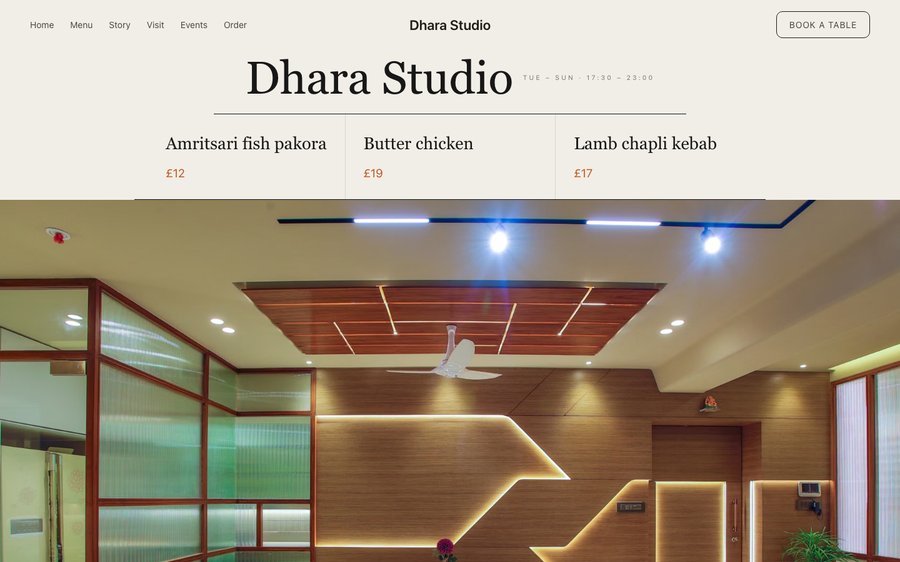
The Compact layout. Menu layout, rendered live. Phone view shows what a guest at the table actually sees.

The booking flow

There is no shopping basket here, and that is the correct decision for the format: this template routes everything to the reservation instead. The booking page only offers dates and times that are actually available from your service hours, so a guest never chooses a sitting that does not exist.

Deposits are the mechanism that makes a thirty-cover room survivable, and connecting Stripe turns the booking form into one that holds a card or takes a deposit at the point of reservation. The money goes directly to your account and TableSpark takes 0%. Stripe’s standard card-processing fees apply to online payments.

Loading the live preview…

A live reservation page. The form is driven by your own hours and table inventory.

Where the restaurant explains itself

The story page is built for a kitchen with a manifesto: a long-form chef narrative, a pull quote, a Q&A and a gallery that can carry plating photography at full width. The dedicated gallery page exists for the same reason — rooms like this are photographed constantly, and the images are part of the sell.

Loading the live preview…

Live story page: the chef, the reasoning, the history and the photographs.

The typing is already done

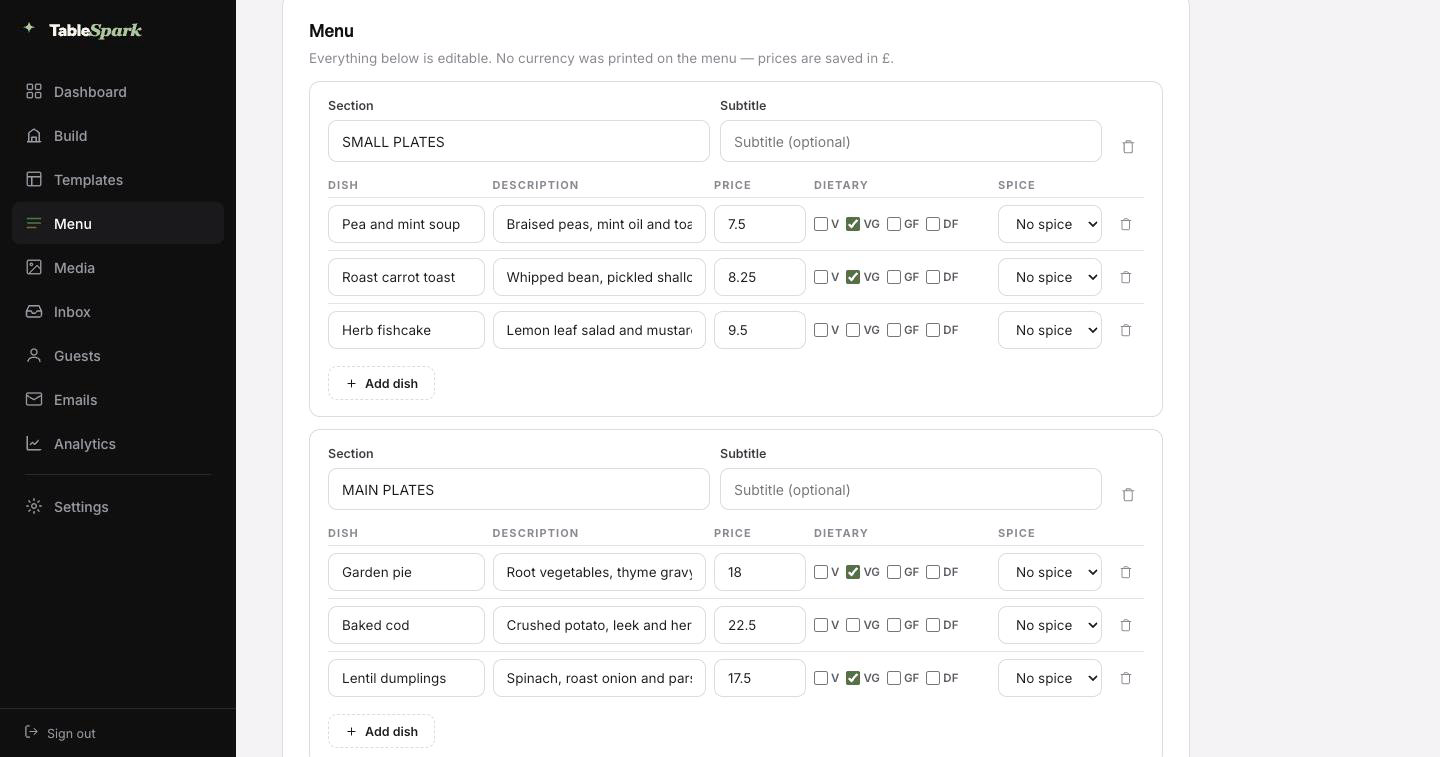
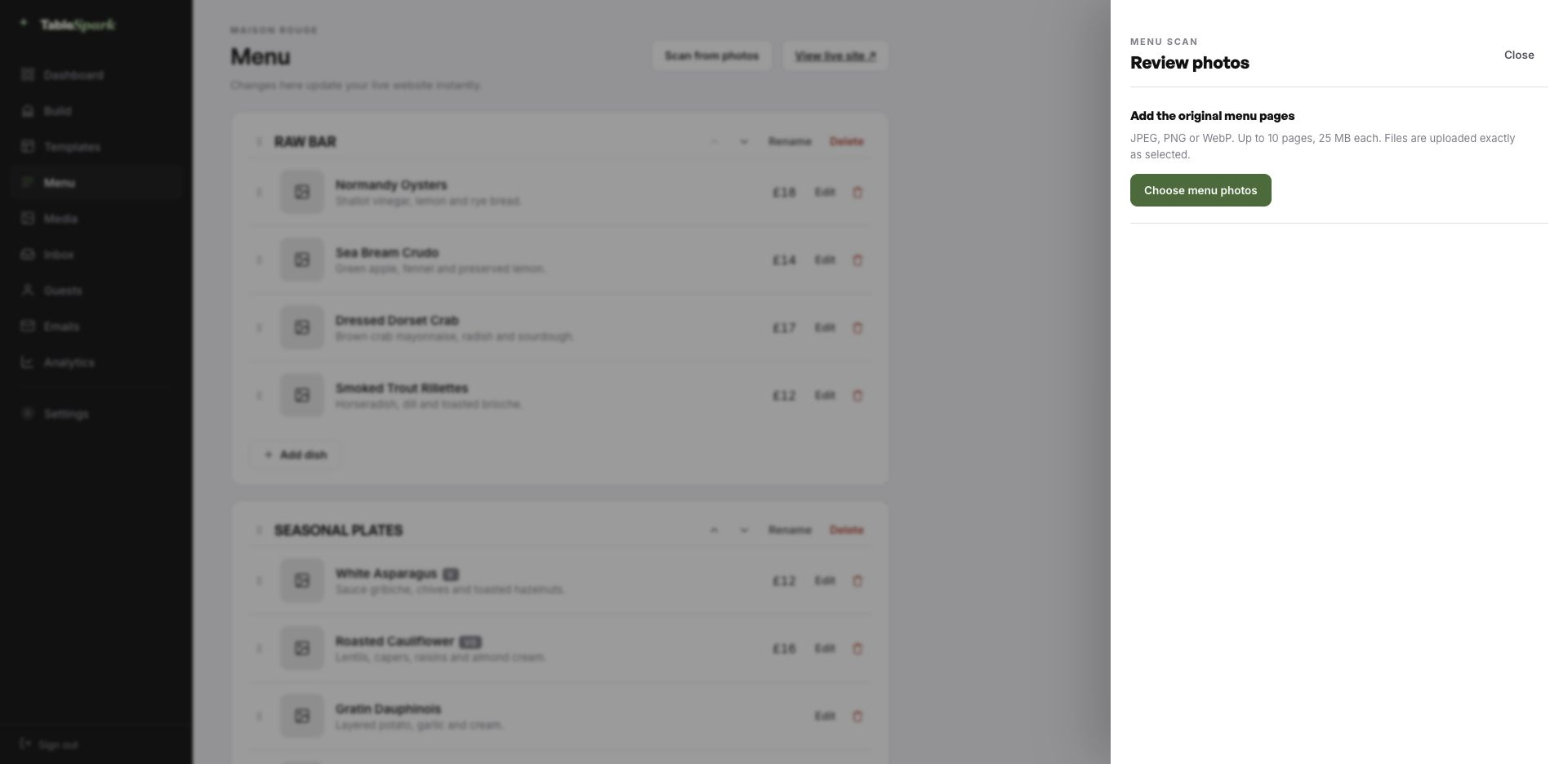
Start with the job everyone puts off. Photograph your menu — the printed card, the chalkboard, the laminated takeaway sheet — and upload it. It comes back as a real menu — sections in order, dishes, descriptions, prices, dietary marks and spice levels, all filled in. It lands in front of you for approval first, with every value editable.

The important part: this is structured data, not an image of a menu. That same menu immediately drives the menu page, the highlights on the home page and the Restaurant structured data a search engine reads. Change a price once afterwards and all of them follow.

Every page carries a Write with AI button for the search title and description — it reads the page you are on and writes the first draft. Read it, sharpen it, publish it. The order matters.
Step one
Upload the card

A phone photograph of the menu you already hand to guests is enough.

Step two
The AI types it in

Sections in order, dishes with descriptions and prices, dietary and spice marks read from the page.

Step three
It propagates

Menu page, home-page highlights and the Restaurant schema — each one updating from the same edit.

The TableSpark menu editor with the Scan from photos panel open, ready to take menu photographs
One · uploadMenu editor, Scan from photos. Ten pages at a time, straight from a phone camera.
The review screen after a menu scan: sections, dish names, descriptions, prices, dietary marks and spice levels, every field editable
Two · reviewThe approval step. Sections, dishes, descriptions, prices and marks, all editable, nothing saved yet.

Ten minutes, then you are open

There is no kick-off call and no staging link to approve. Everything is designed and wired — you are changing the words and the photographs. Ten minutes, give or take, and it is live — with the reservation form answering immediately. Both sides get told at once — the booking in your inbox, the confirmation in theirs.

Money is one connection away. Link your Stripe account and the site can take deposits on bookings and payment on orders, paid directly to you. No per-order fee, no revenue share, 0% commission on any plan. Stripe’s standard card-processing fees apply to online payments.

  1. Pick DelirioAll the pages and the demo menu copy into your account.
    1 min
  2. Change the name and the wordsType over anything. The restaurant name updates throughout.
    4 min
  3. Upload your menuThe menu is built from a photograph rather than typed.
    3 min
  4. PublishPublished — and the booking form answers from that moment.
    1 min
  5. Connect StripeNow you can take deposits on tables — direct to your account.
    1 min

Your domain, our plumbing

The address on your napkins should be the address that loads. Start on a TableSpark address, then bring your own domain across — the site does not change, only the name it answers to.

The certificate, its renewal, the secure connection and the redirects are managed here, along with the canonical and sitemap signals that make a domain move safe. Bring your own, and the setup screen tells you the one value to paste and where.

delirio.tablespark.ukbecomeswww.delirio.co.uk

What lands in the guest’s inbox

A confirmation email is the only piece of your restaurant a guest keeps in their pocket for a week. The guest is emailed straight away with the particulars — date, time, party size, address, phone — and a link to release the table themselves. Service reminders, deposit receipts and cancellations all travel on the same design.

You are not stuck with our house style. Choose from six styles and make the rest yours: accent colour, logo, cover photograph, header layout, sign-off, links and social accounts. Connect the domain and the sender address becomes yours, which is what makes it read as genuinely from you.

The frame below is the real thing: it is drawn by the same renderer the booking system uses, not a picture of one. Press a style or a colour and watch it change.

Loading the email…

Your branding, not ours

Everything a guest sees after they book, set in the same place as the site.

  • A choice of six templates.
  • Your colour, your mark, your cover photograph.
  • Header left, centred or as a colour band.
  • Sends from your domain, and carries every other guest email.
  • Your sign-off — Curtain up at eight.

Try the buttons above — this is the live renderer, not a screenshot.

The line between the design and your restaurant

  • Yours from the first minute: all copy, all imagery, the entire menu with its prices, hours, address, and the colour and type choices underneath.
  • Kept for you: the engineering underneath: long menus, small screens, reflowing sections, and contrast that survives your colour choices.
  • Never locked: rearrange every page, drop blocks you dislike, pull in new ones, and add or delete pages entirely. The structure is a suggestion.

Live is not the same as findable

Publishing a page and being present in search are separate achievements. A site can be live at a working link and still be missing from Google: a stray noindex, conflicting canonicals, orphaned pages, a menu locked inside a PDF, missing structured restaurant data or unfinished search verification will each do it. That gap gets filled by directories and marketplaces, which are delighted to charge you for guests who were already looking for you by name.

That groundwork is already laid here. Neither rankings nor indexing can be guaranteed by anyone — but the setup that so often prevents them is complete here.

What restaurants ask us

We only serve a set menu at fixed sittings. Does the booking form understand that?

Yes. Reservations are generated from your service hours, so the form only ever offers sittings you actually run — two a night, one a night, four on Saturdays. A guest cannot choose 21:15 if you do not seat at 21:15. Party size limits and last-booking cut-offs are set the same way.

Can we take a deposit at the point of booking?

Yes, once your Stripe account is connected. The reservation form can hold a card or charge a deposit as the booking is made, with the money paid straight into your own account — TableSpark takes 0% commission. Stripe’s standard card-processing fees apply to online payments. Deposit receipts are emailed automatically in your own branding, and cancellations are handled through the same flow.

How soon can we be open online?

About ten minutes for most kitchens. You copy the template, replace the name and the copy, photograph the menu in, and publish. From that second the booking form works: reservations land in your inbox and guests are emailed a confirmation automatically. Linking a payment account takes another minute and lets the site hold deposits and take order payments, at 0% commission from us. Stripe’s standard card-processing fees apply to online payments.

Are we stuck with these colours and typefaces?

Every part of it. The Theme tab controls the base skin, the accent, the background, text and surface colours, both typefaces, the text scale, corner radius, motion and the header. Change any of them and the whole site follows, because nothing hard-codes a colour.

Do we have to use a TableSpark address?

Yes, and you do not have to sort it out before going live. Publish on a TableSpark address today; connect your own domain — new or one you have held for years — whenever it suits. The SSL certificate and its renewals, the secure connection, the bare-domain redirect and the canonical, sitemap and robots signals are all managed for you, so search visibility survives the change. The same domain can send your guest emails.

Can we control the emails guests receive?

An immediate confirmation in your name with the booking details — date, time, covers, your address and phone number — plus a link that lets them cancel cleanly if plans change. The same system handles the reminder before service, any deposit receipt and cancellation notices. You design all of it: six templates, your accent, logo, cover photograph, header layout, sign-off, links and social accounts, sending from your own domain once connected.

Make Delirio yours

Copy this design into your account, change the words, add your menu and publish — usually the same afternoon. Free to build; you only pay when you go live.

Use this template free

Running a Fine Dining kitchen? See all Fine Dining restaurant website templates.

More Maximalist Avant templates

While you are deciding

← Browse all 50 restaurant website templates