Template library · Heritage Thai

Krajang — a heritage Thai restaurant website template

For kitchens cooking a family’s recipes rather than a region’s: a dark template with a shared-table opening, a plated menu, and a chip-bar ordering page.

Heritage ThaiCuisine House · Mezze Table5 pages · 36 editable sections0% commission
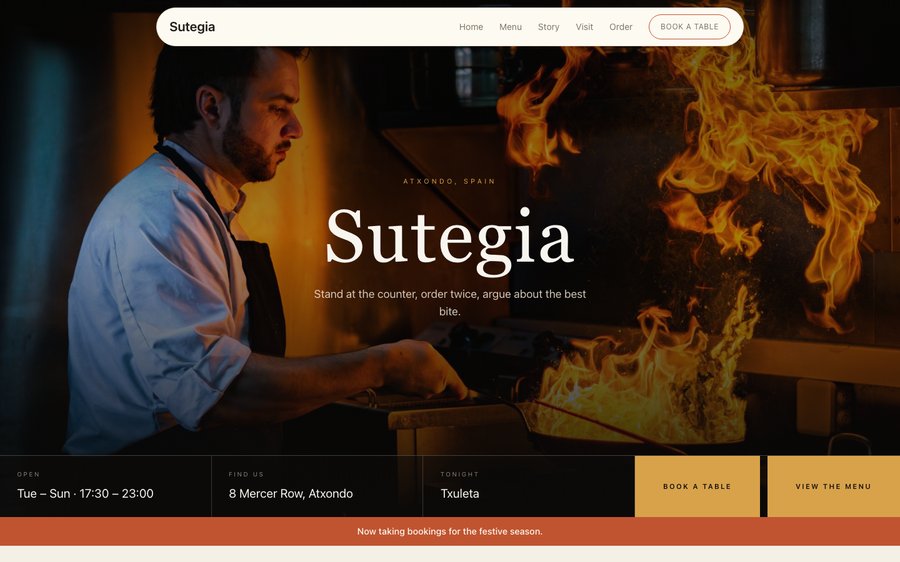
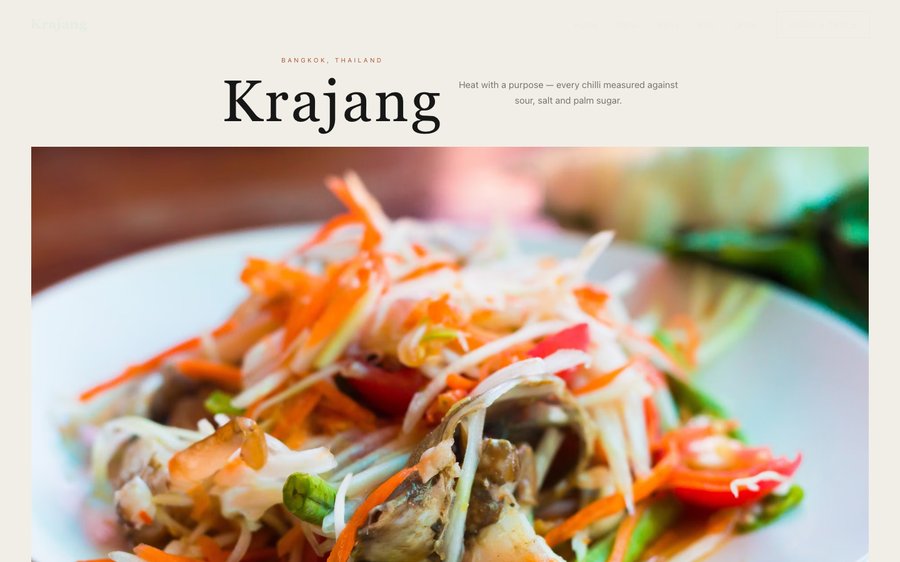
Krajang, a heritage Thai restaurant website template — the home page as it publishes
Krajang · Bangkok, Thailand

Starter is £19/mo excl. VAT and includes a complete restaurant website, a live structured menu, enquiry and newsletter forms, and managed search readiness. Growth is £39/mo excl. VAT and adds direct live bookings, a custom domain with managed SSL, and table and floor-plan operations. Full is £69/mo excl. VAT and adds online ordering and multi-site management for up to five restaurant sites. TableSpark commission is 0%. Stripe's standard card-processing fees apply to online payments.

No agency, no retainer, and the best value an independent UK restaurant can buy. Instead of spending thousands on a bespoke build and waiting months for it, you start from a finished design like this one and go live the same day. Then it is yours to keep current — and a menu that can be corrected in a minute is a menu that stays true. The layouts are built mobile-first and scale up, and the plans add reservations, table management, ordering and the tools to run them — 0% commission to us.

Take it for a drive.

Krajang is a dark room with an amber that could be a brass lamp or a curry pot. Yours might be white tile and morning light, or brass and candles, or something nobody has built yet.

Rather than explain, here is the thing itself: the builder’s Theme controls on one side, the live site on the other, both real. You cannot break it, nothing saves, and no account is required to have a go. Go on.

Loading the live preview…

ThemePagesBlocks
Accent colour

Or pick any colour at all — the builder carries a full spectrum picker and a hex field.

Colours
Fonts
The real controls, the real site. Press anything on the right and watch the left redraw.

Every page, as it publishes

5 pages, and every one of them is here. Nothing below is a screenshot: the frame renders it through the same engine that publishes your site, so every tab is the real page and every link inside it works. Switch to Phone to watch the same design reflow.

Loading the live preview…

Live, and navigable. Use the frame’s own navigation or the tabs above it.

Who this was drawn for

A heritage kitchen’s selling point is provenance — a grandmother, a household, a set of recipes that exist nowhere else — and the website has to make that specific rather than sentimental. The design opens on a shared table, because that is how this food is eaten, and puts the family narrative high on the page rather than burying it.

Dark ground, amber accent, a high-contrast serif over a plain sans. It reads as an old house at night, which is the correct atmosphere for food with a lineage.

Pulling the home page apart

Eight blocks, arranged around a family:

  • Hero — Big opening image, name & buttons, in the Mezze Table treatment: Sharing table band with four small plates priced along the base.
  • Marquee strip — Scrolling awards or words.
  • Signature dish — One dish, full screen — name, story, price.
  • Gallery — Grid, masonry or moving strip.
  • Pull quote — A large standout quotation.
  • Sourcing — The growers and makers behind the menu.
  • Reviews — Guest quotes with stars.
  • Reservation form — Live availability slot picker, saved to your Inbox.
  • Call to action — Headline + button band.

Loading the live preview…

The Plate layout. The published menu page. Press Phone to see the same layout on a small screen.

Ordering: a delivery app that belongs to you

This is the part worth pressing. Krajang uses the Chip bar ordering layout — sections become filter chips across the top, so a short menu is ordered from in three taps. The chip-bar layout — sections as filters across the top — suits a menu ordered communally, where a guest is filtering rather than scrolling.

Heat and portion are inline choices on each row, the total stays visible, and dine-in asks for a table number. Payment settles into your own Stripe account, with no commission taken by TableSpark. Stripe’s standard card-processing fees apply to online payments.

The form adapts to the mode. Eating in? A table number. Collecting? A phone number. Delivery? An address. Nothing more is demanded.

Loading the live preview…

Do this bit on the phone

This is the frame that matters. It is the real ordering page at a real phone width — not a mock-up, not a video.

  • Move between sections without losing your place.
  • Add with +; adjust with the same stepper.
  • A pinned bar carries the item count, the total and the order button.
  • Choices open in a sheet at the bottom of the screen, not a box in the middle.

On a laptop the same page puts the basket in a panel beside the menu that follows the scroll.

The ordering page as a guest would hold it. Tap a dish and watch the bottom bar.

Story, visit, and the practical pages

The story page is the heart of this template: a long family narrative, a quote, an interview, a timeline that can span generations, and a gallery. The visit page handles a room that is often in a building with its own history.

Loading the live preview…

The story page in full — everything a guest reads before they book.

Upload your menu. The AI does the typing.

The worst job in setting up a restaurant site is typing the menu. You do not have to. Send in the menu you hand to guests — card, board, PDF, ten pages if it runs that long. What returns is not a scan but a structured menu: every section, every dish, every price, with dietary and spice marks read off the page where they were printed. Nothing saves until you have looked at it — every field is editable on the review screen.

And because it is data rather than a photograph, it can do work. One menu then feeds the menu page, the ordering page, the highlights on the home page and the Restaurant structured data a search engine reads. Change a price once afterwards and all of them follow.

Search titles and descriptions are drafted the same way: press Write with AI and it writes from the page in front of you. You still approve every line of it before it goes anywhere.

Step one
One photograph

Of the menu exactly as it is today, from a phone.

Step two
Back as data

Sections in the right order, dishes with their descriptions, prices and marks.

Step three
Four places, one edit

Menu page, ordering page, home-page highlights and the Restaurant schema — all fed by the same structured menu.

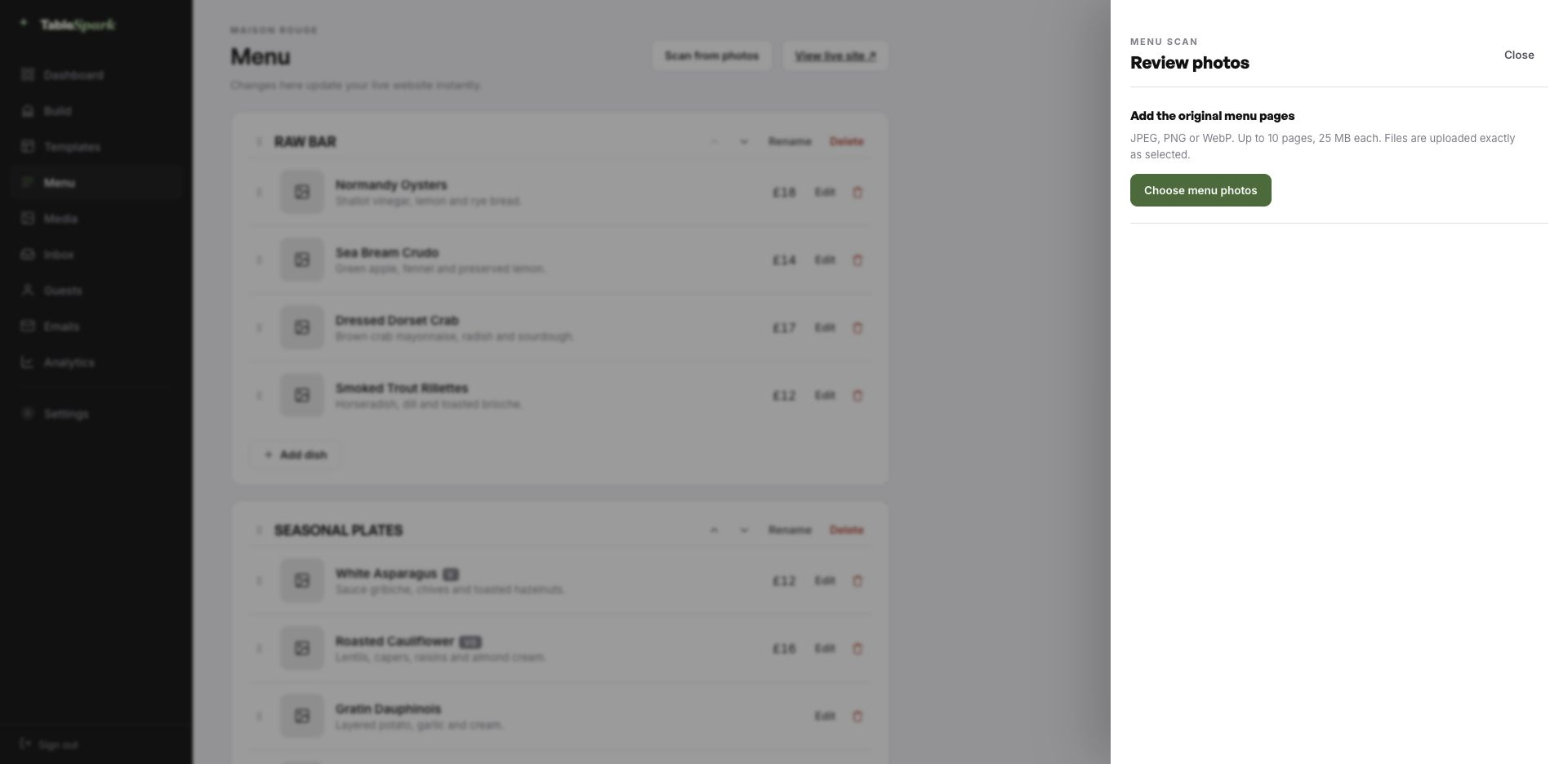
The TableSpark menu editor with the Scan from photos panel open, ready to take menu photographs
One · uploadThe entry point: upload up to ten menu pages as JPEG, PNG or WebP.
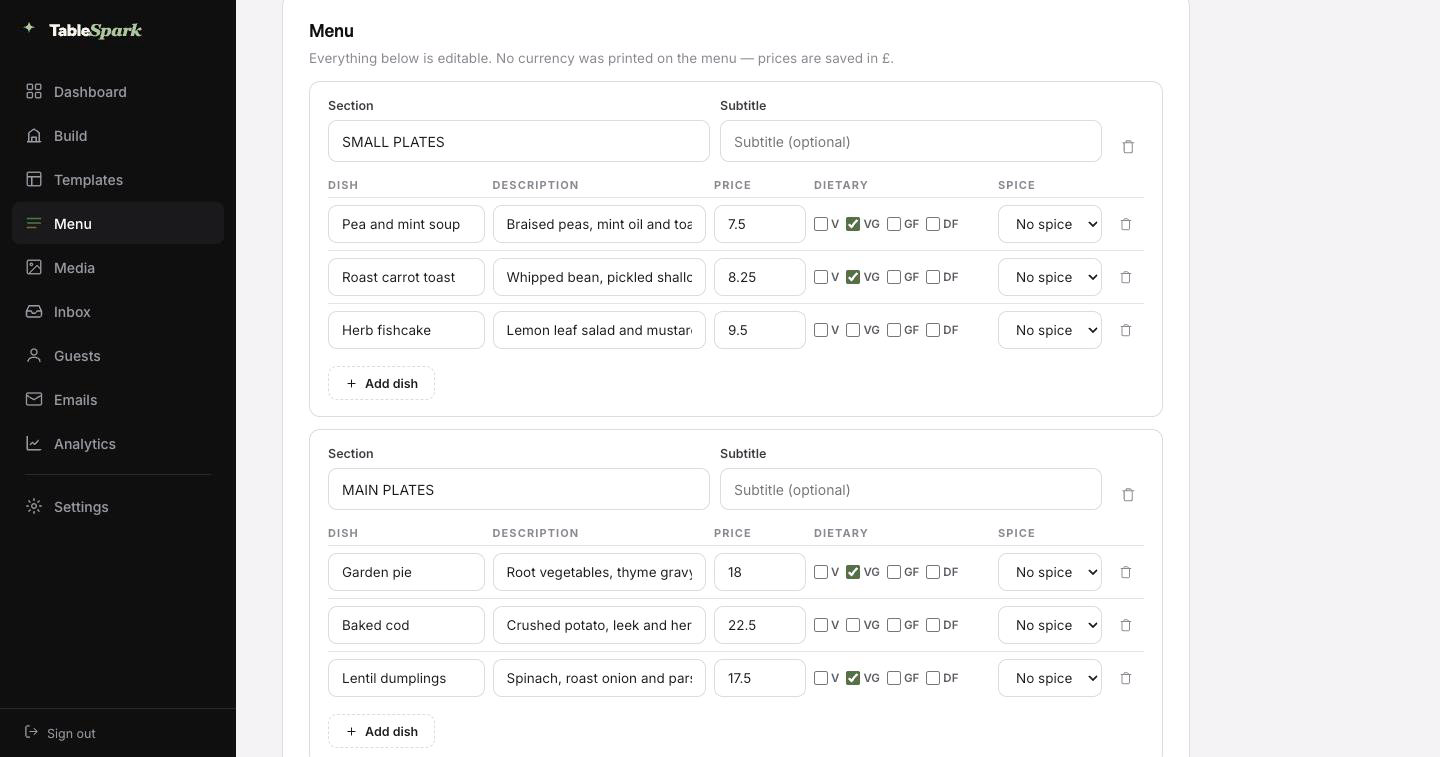
The review screen after a menu scan: sections, dish names, descriptions, prices, dietary marks and spice levels, every field editable
Two · reviewWhat the scan produced, waiting for you to check it. Every field is editable in place.

From nothing to taking reservations, in ten minutes

The waiting is the part that has been removed. Consider it a fully fitted kitchen waiting for your knives. Ten minutes to live, and the booking form does not need setting up: it is already answering. The booking appears in your inbox; the guest gets a confirmation before they have put their phone down.

One Stripe connection turns the site into something that collects money: deposits on tables, payment on orders, paid direct. Our commission is 0% at every plan level. Stripe’s standard card-processing fees apply to online payments. That is the only deduction.

  1. Pick KrajangThe whole thing is duplicated into your account to edit.
    1 min
  2. Change the name and the wordsClick a block, change the words, swap the picture.
    4 min
  3. Upload your menuPhotograph the menu; review what the AI read back.
    3 min
  4. PublishLive on your address, with reservations working.
    1 min
  5. Connect StripeNow you can take deposits on tables and payment on orders — direct to your account.
    1 min

Run it on your own domain

Nobody prints someone else’s name on their menu, and a web address is no different. You start on a TableSpark address so you can publish today, and move the site onto your own domain whenever you are ready — the one on your menus, your napkins and your Google listing.

You do not touch a certificate or a redirect rule. TableSpark issues and renews the SSL, points the bare domain at your chosen host, and keeps the search signals consistent. If the domain is already yours, nothing needs buying; you are told precisely which DNS record to point where.

krajang.tablespark.ukbecomeswww.krajang.co.uk

After the booking: an email that looks like you

Most guests will see this email more often than they see your home page. On booking, an email goes out on your behalf with everything the guest needs — when, how many, where, how to reach you, and a one-click way to give the table back. Reminder emails, deposit receipts and cancellation notices are cut from the same cloth.

And the email is yours to design, not ours. Six templates, your accent colour, your logo, a cover photograph, the header layout, a sign-off in your own voice, your links and your social accounts. Once your domain is connected the email leaves from your address as well, not a generic one.

Not a mock-up: the frame runs the actual guest-email renderer. Press a template or an accent and watch it change.
Loading the email…

Set by you, not us

Everything a guest sees after they book, set in the same place as the site.

  • Six templates — Spark, Ink, Linen, Noir, Bistro, Plate.
  • Your accent, your logo, a cover photograph.
  • Sends from your own domain once it is connected.
  • Same design carries reminders, deposit receipts and cancellations.
  • Your sign-off — Cooked the way it was taught.

Try the buttons above — this is the live renderer, not a screenshot.

What you change, and what stays

  • Yours from the first minute: the restaurant’s name, the copy on every page, the photography, the dishes and prices, the opening hours and address, and the theme itself.
  • Kept for you: the load-bearing decisions: long-menu layout, mobile ordering behaviour, responsive stacking, and colour contrast that does not collapse when you change the palette.
  • Never locked: restructure any page, delete sections outright, add new modules, and create or remove pages. None of it is locked.

Findable, not merely online

A live link proves the page exists. It does not prove Google can read it. Sites sit at a perfectly good address and never appear in search — because of a leftover noindex, canonicals that disagree, pages nothing links to, a menu trapped in a PDF, absent restaurant schema, or verification never finished. What follows is expensive: searches for your name, your dishes or your street send guests to marketplaces that take a cut of the booking you would have had for free.

None of it is left for you to assemble. Rankings and indexing are Google’s decision and no honest supplier promises either — but the configuration that makes them possible is done.

Questions before you start

Our recipes come from one family. Can the site tell that story properly?

That is what the story page is built for — a long narrative block, a pull quote, a chef interview, a timeline that can span generations and a gallery. Unlike a social post, it stays findable: someone searching your family name or a dish that exists nowhere else can arrive on it years later.

Can we mark which dishes are the originals?

Yes — badges on each dish carry labels like chef’s pick or house speciality, and they show on the menu page, on the ordering rows and in the structured data. Section subtitles can add a further line of context above the dishes.

Is there a commission on orders taken through the site?

Ordering is included on the Full plan. We charge 0% commission and no per-order fee, on any plan. Stripe’s standard card-processing fees apply to online payments.

Do I have to type my whole menu in by hand?

No. Photograph the menu and it comes back as structured data — ordered sections, named dishes, their descriptions and prices, with dietary and spice marks where the card showed them — for you to check and correct on a review screen. Being data rather than a photograph is what lets the same menu feed the menu page, the ordering page, the home-page highlights and the search engine’s structured data at once.

How long does it take to get the site published?

Ten minutes is a fair estimate. The template copies into your account complete, so the work is changing the name, editing the words and uploading the menu before you publish. Bookings work immediately on publishing, arriving in your TableSpark inbox with an automatic confirmation to the guest. Adding a payment account enables deposits on tables and payment on orders, paid direct to you at 0% commission. Stripe’s standard card-processing fees apply to online payments.

Can I change the colours and fonts?

All of it lives in the Theme tab — the accent, the background, the text and surface colours, both typefaces, corner radius, motion and how the header behaves as you scroll. Nothing breaks when you change them, because every block reads from the theme rather than carrying its own colours.

Build on Krajang

Take this design, make it about your restaurant, and publish it today. Building costs nothing; you pay only when it goes live.

Use this template free

Running a Thai kitchen? See all Thai restaurant website templates.

More Warm Rustic Fire templates

Read next

← Browse all 50 restaurant website templates