Template library · French-Japanese

La Crête — a counter dining restaurant website template

For counters where the queue is part of the experience: a dark template with a queue opening, an indexed menu, and dense-row ordering built for speed.

French-JapaneseCuisine House · Ramen Queue5 pages · 36 editable sections0% commission
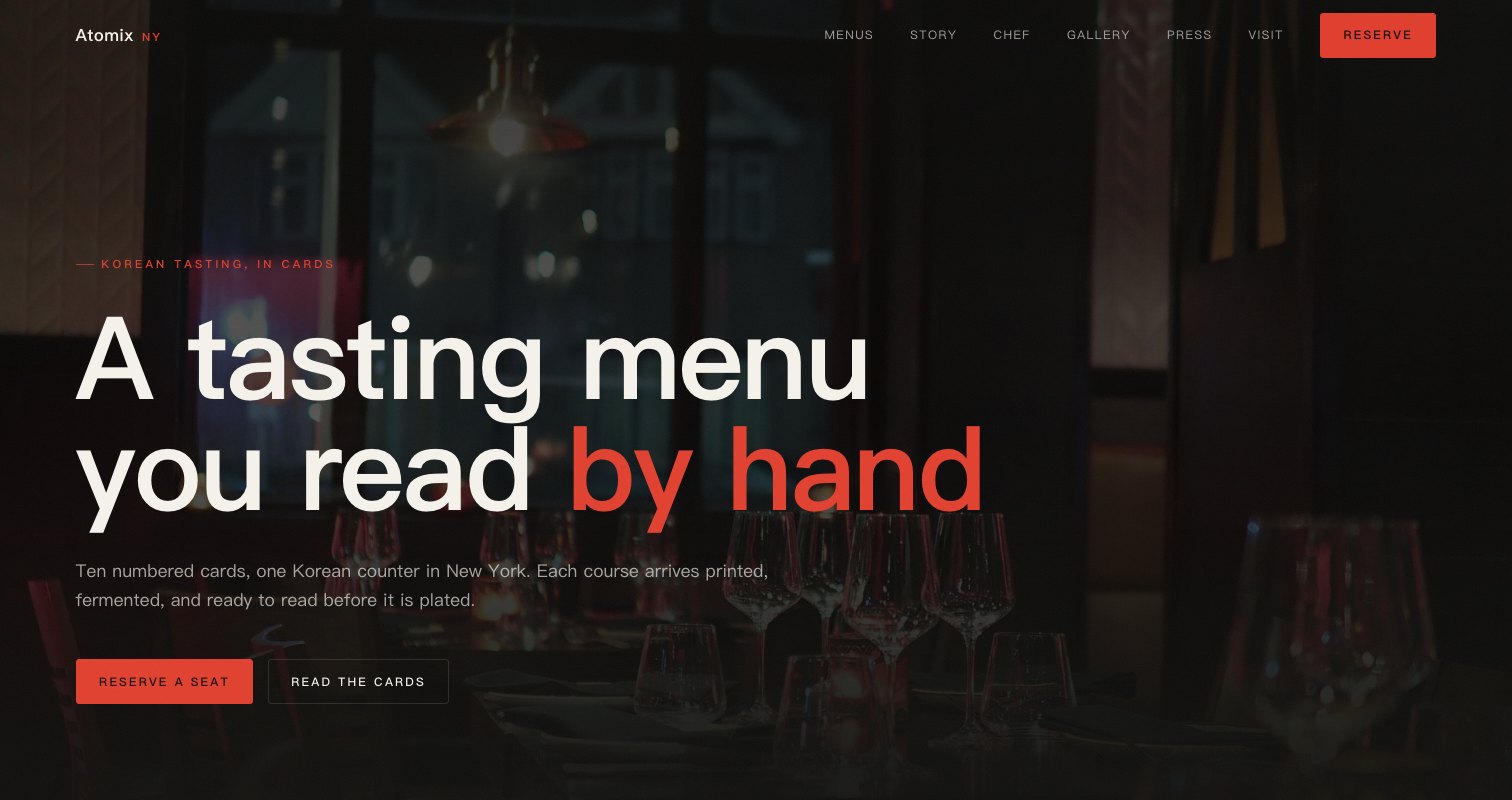
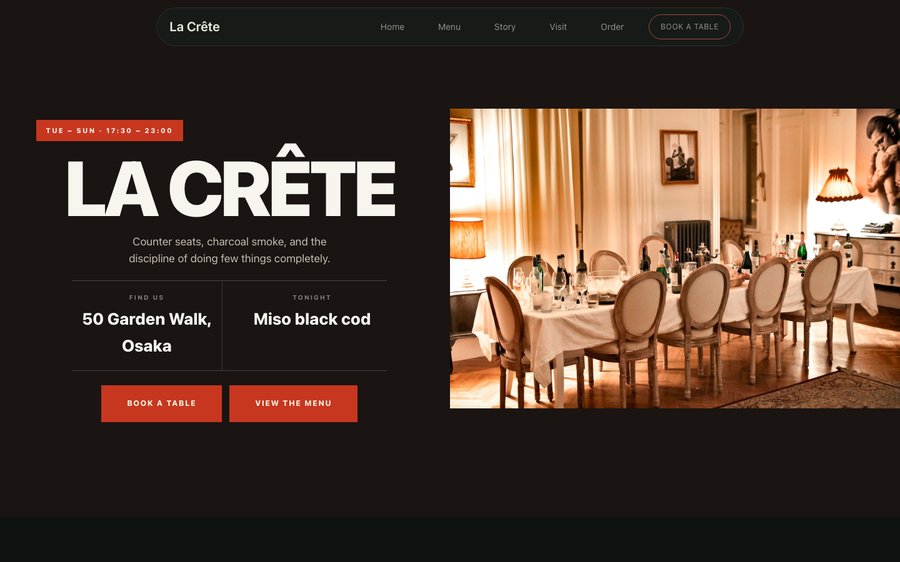
La Crête, a counter dining restaurant website template — the home page as it publishes
La Crête · Osaka, Japan

Starter is £19/mo excl. VAT and includes a complete restaurant website, a live structured menu, enquiry and newsletter forms, and managed search readiness. Growth is £39/mo excl. VAT and adds direct live bookings, a custom domain with managed SSL, and table and floor-plan operations. Full is £69/mo excl. VAT and adds online ordering and multi-site management for up to five restaurant sites. TableSpark commission is 0%. Stripe's standard card-processing fees apply to online payments.

A finished restaurant website and the system behind it, at the lowest entry point and the best value available to an independent UK kitchen. There is no build phase and no invoice with a project manager on it. The design exists; your job is to put your restaurant inside it. Every word and every price stays under your control afterwards, which is the part that decides whether a restaurant site stays accurate. It reads properly on a phone, a tablet and a desktop, and the plans carry reservations, table management and online ordering at 0% TableSpark commission.

Take it for a drive.

La Crête is a dark room with a vermilion accent that behaves like a lantern. Yours might be white tile and morning light, or brass and candles, or something nobody has built yet.

This is the product, not a picture of it. Left, the live site. Right, the builder’s own Theme panel. Everything you press takes effect immediately, nothing persists, and there is no sign-in wall in front of it. Go on.

Loading the live preview…

ThemePagesBlocks
Accent colour

Or pick any colour at all — the builder carries a full spectrum picker and a hex field.

Colours
Fonts
Two real things side by side — the builder’s Theme panel, and the site it changes.

Now walk the whole thing

5 pages, and every one of them is here. Nothing below is a screenshot: the frame renders it through the same engine that publishes your site, so every tab is the real page and every link inside it works. Switch to Phone to watch the same design reflow.

Loading the live preview…

Rendered live. Every link in the frame goes where it says; the tabs above jump straight there.

Why it looks like this

A counter with a queue outside it is selling something specific: a short menu, done exactly, at speed. The design opens with the queue itself — the wait, the hours, what is being served — which is both honest and, for the right guest, a genuine invitation.

A dark ground with a vermilion accent gives the food photography a warm surround, and the wide display face keeps a short menu of short names looking deliberate rather than sparse.

Everything on the home page, named

Eight blocks, arranged for a room with a queue:

  • Hero — Big opening image, name & buttons, in the Ramen Queue treatment: Bowls-left badge, queue time and service window beside the bowl.
  • Intro statement — Big opening statement line.
  • Feature rows — Alternating image and text rows.
  • Menu preview — A few dishes on a sliding rail.
  • Press bar — Press mentions or awards as a ruled band.
  • Ambience — Full-width video or photo mood band.
  • Reviews — Guest quotes with stars.
  • Newsletter — Email signup band.
  • Call to action — Headline + button band.

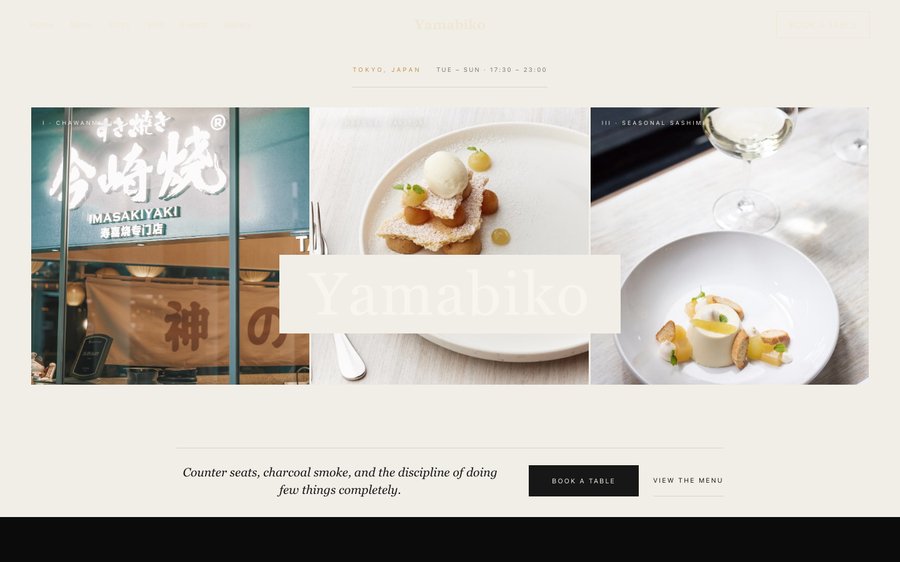
The statement block currently reads Counter seats, charcoal smoke, and the discipline of doing few things completely. — one line you will rewrite in about four seconds.

Loading the live preview…

The Index layout. The published menu page. Press Phone to see the same layout on a small screen.

The ordering page: same habit, different economics

This is the part worth pressing. La Crête uses the Dense rows ordering layout — compact rows that keep a large order visible while it is being built, with the running total pinned in view. Dense rows are the layout for a takeaway list that has to be assembled fast — compact, scannable, and quick to add from.

Extras and sizes are inline chips on each row, the total stays on screen, and collection asks only for a name and a number. Payment goes into your own Stripe account, with 0% commission taken by us. Stripe’s standard card-processing fees apply to online payments.

Dine-in asks for a table number, collection asks for a phone number, delivery asks for an address — and each mode only asks for what it actually needs.

Loading the live preview…

Have a go

This is the frame that matters. It is the real ordering page at a real phone width — not a mock-up, not a video.

  • Switch section — your scroll position stays where it was.
  • The stepper sits on every row, so adding is one tap from anywhere in the list.
  • Count, total and Place order are pinned to the bottom throughout.
  • Sizes and choices arrive in a bottom sheet, within reach of the same thumb.

On a laptop the same page puts the basket in a panel beside the menu that follows the scroll.

The ordering page as a guest would hold it. Tap a dish and watch the bottom bar.

Story, visit, and the practical pages

The story page carries the chef and the technique — narrative, interview, timeline and gallery. The visit page handles the practicalities of a queue: when to come, how long the wait usually is, and how the counter works.

Loading the live preview…

The story page. This is where a restaurant stops being a menu.

Send a photograph, get a structured menu

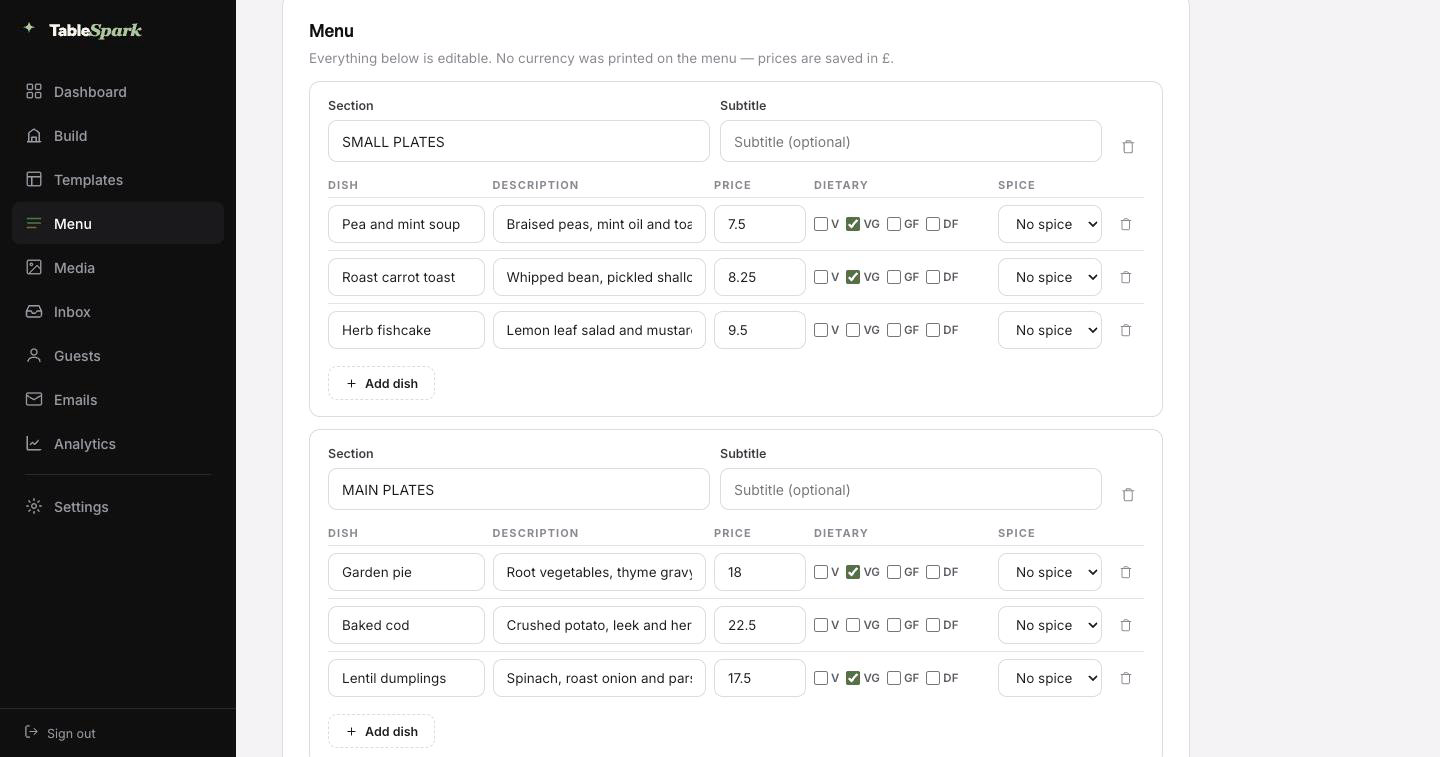
The menu is the longest thing on any restaurant site, and it is the thing you type least. Whatever the menu is printed on, photograph it and upload it; the format does not matter. TableSpark reads it and builds the structured menu for you: sections in the right order, dish names, descriptions, prices, and the dietary and spice marks where it can see them. You review it, fix anything the camera got wrong, and it is done.

The distinction that matters is that a search engine can read every word of it. Everything downstream reads from it: the menu page, the ordering page, the highlights on the home page and the Restaurant structured data a search engine reads. Change a price once afterwards and all of them follow.

A Write with AI button on each page writes the search title and description from what is on it, so no page publishes with those fields empty. Always your last word — the draft lands in the field for you to edit before anything publishes.

Step one
Send the menu in

Printed card, chalkboard photograph or an old PDF — any of them work.

Step two
Read into fields

Not a scan: real sections, dishes, prices and marks you can edit before saving.

Step three
Everything follows

Menu page, ordering page, home-page highlights and the Restaurant schema — kept in step automatically.

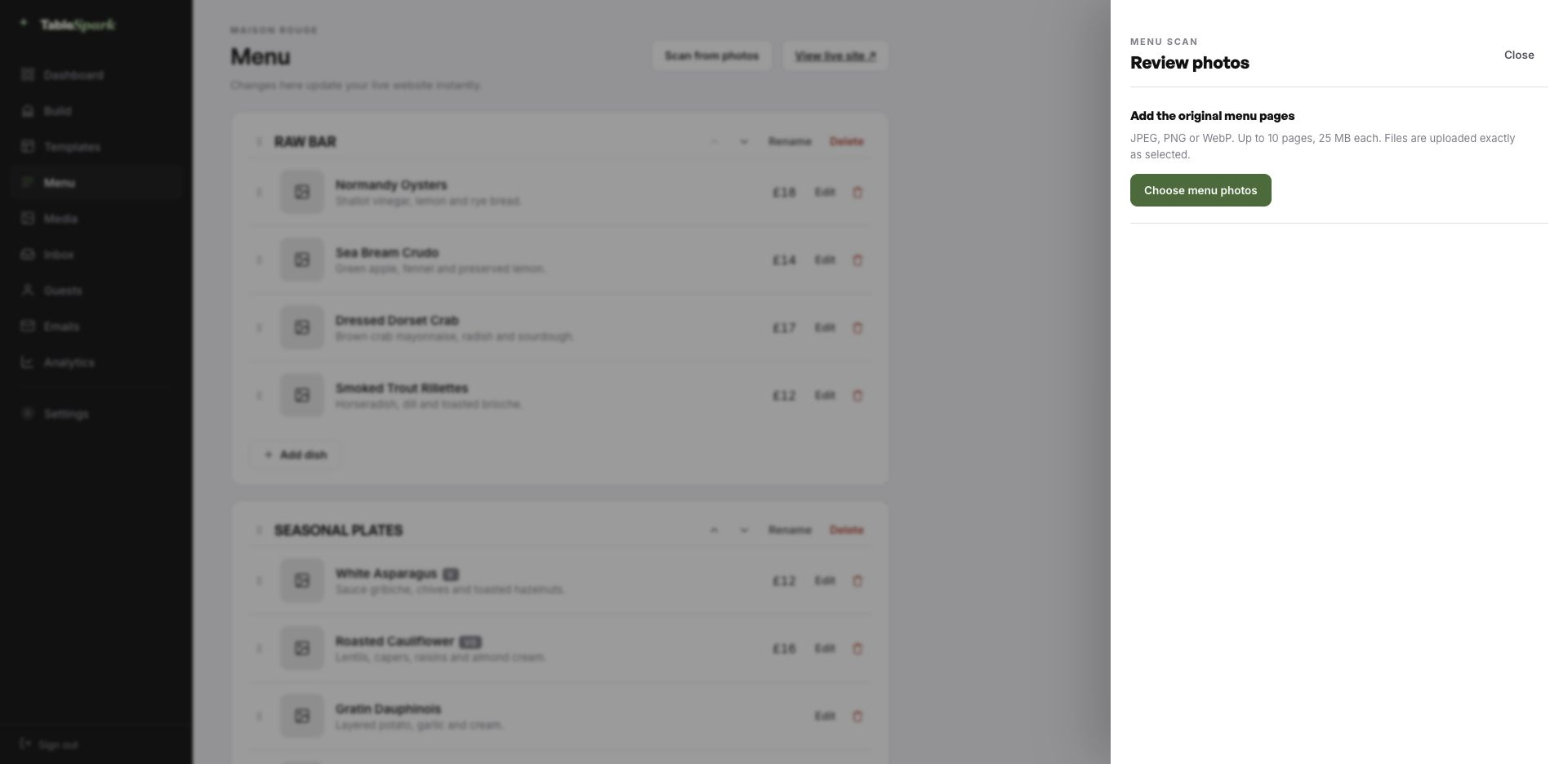
The TableSpark menu editor with the Scan from photos panel open, ready to take menu photographs
One · uploadThe upload panel: JPEG, PNG or WebP, ten pages at a time. A phone photograph of the card does the job.
The review screen after a menu scan: sections, dish names, descriptions, prices, dietary marks and spice levels, every field editable
Two · reviewThe review screen. Nothing is written until you approve it, and every value can be corrected here.

From nothing to taking reservations, in ten minutes

The gap between deciding and being live is measured in minutes, not weeks. The template is already a finished site; the work is making it yours. Ten minutes is a fair estimate from first login to a live address, and bookings start working the instant you publish. Reservations collect in your TableSpark inbox and each guest is confirmed by email automatically.

Payments are one link away. Connect Stripe and deposits and order payments flow directly to you. Zero commission, permanently. Stripe’s standard card-processing fees apply to online payments. That is the end of the list.

  1. Pick La CrêteThe full site arrives in your account as a working draft.
    1 min
  2. Change the name and the wordsRewrite the words by clicking them; the name carries everywhere.
    4 min
  3. Upload your menuSend the menu in as a photograph and check what comes back.
    3 min
  4. PublishIt goes live on your address and starts taking bookings.
    1 min
  5. Connect StripeNow you can take deposits on tables and payment on orders — direct to your account.
    1 min

Run it on your own domain

What is printed at the bottom of the menu should be your own. Go live immediately on a TableSpark address, and swap in your own domain at any point afterwards — including one you already own.

Certificates, HTTPS, the redirect from the naked domain and the search-engine housekeeping around a move are all handled for you. Bring a domain you already own, and we will tell you exactly which record to change.

lacrete.tablespark.ukbecomeswww.lacrete.co.uk

Every booking sends an email — in your colours

Between booking and arriving, the confirmation email is the whole relationship. The moment a guest books, TableSpark sends them a confirmation on your behalf: the date, the time, the party size, where you are, how to reach you, and a link to release the table if their plans change. The pre-service reminder, the deposit receipt and the cancellation note share it.

None of it has to look like us. Six designs to start from, plus your colour, your logo, a photograph, the header treatment, your own closing line, your links and your socials. Connect your domain and it sends from your address too — so what lands in a guest’s inbox looks like it came from the restaurant, because it did.

The email below is being generated live by the same code that sends it for real. Try the templates and the accent colours.
Loading the email…

Set by you, not us

Everything a guest sees after they book, set in the same place as the site.

  • Spark, Ink, Linen, Noir, Bistro, Plate — pick one.
  • Set the accent, add a logo, add a photograph.
  • Once your domain is connected, it sends from you.
  • The reminder, the receipt and the cancellation match.
  • Your sign-off — Worth the wait.

Try the buttons above — this is the live renderer, not a screenshot.

What you change, and what stays

  • Yours from the first minute: the wording anywhere on the site, the photographs, the menu and prices, your hours and location, and the palette and typefaces.
  • Kept for you: the parts that break when hand-built: a menu that still reads at two hundred dishes, a basket that works one-handed, and contrast that holds whatever colour you choose.
  • Never locked: add, delete or reorder any section on any page. Add pages. Delete the ones you do not want. The template is the starting line.

Built to be found, not just to be live

There is a gap between a website that loads and a website that gets found, and it is wider than most owners expect. Working link, zero visibility. It happens through stray noindex rules, conflicting canonicals, orphaned pages, PDF menus, absent structured data and unfinished verification. And the restaurant pays for it: people searching your own name find aggregators and commission-charging platforms instead, so you rent back an audience that was yours.

It is handled in the box, not in an add-on. No guarantees about rankings or indexing exist anywhere in this industry. What exists here is the technical work, finished.

Common questions

We do not take bookings. Is a website still worth it?

More so, not less. Guests searching your name need the hours, the address, the menu and the queue policy in a form Google can read — otherwise they find a directory listing that may be wrong. The visit page carries the policy plainly, and the menu is indexable text rather than a photograph.

Can we say how long the wait usually is?

Yes — the hero and the visit page both carry editable fields for exactly this kind of practical note, and they are edited in seconds when the reality changes. It is the single most useful thing a queue restaurant can publish.

Do we have to enter two hundred dishes manually?

You should not have to. Upload a photograph of the menu you already print and the AI turns it into structured sections, dishes, descriptions and prices, reading dietary and spice marks off the card where it can. Everything lands on a review screen for you to check before it saves. After that it is data rather than an image, which is why one price change updates the menu page, the ordering page, the home-page highlights and the structured data together.

What does the setup actually involve, time-wise?

Ten minutes is a fair estimate. The template copies into your account complete, so the work is changing the name, editing the words and uploading the menu before you publish. Bookings work immediately on publishing, arriving in your TableSpark inbox with an automatic confirmation to the guest. Adding a payment account enables deposits on tables and payment on orders, paid direct to you at 0% commission. Stripe’s standard card-processing fees apply to online payments.

Can the look be changed after we start?

All of it lives in the Theme tab — the accent, the background, the text and surface colours, both typefaces, corner radius, motion and how the header behaves as you scroll. Nothing breaks when you change them, because every block reads from the theme rather than carrying its own colours.

How do we move it onto our own domain?

Yes. The TableSpark address exists so you can publish immediately, not so you stay on it. Move to your own domain whenever you like, including one you already own; TableSpark issues and renews the SSL certificate, redirects the bare domain, and keeps canonical URLs, the sitemap and robots pointing at the live address so nothing earned is lost. Guest email can send from the same domain.

Build on La Crête

Start here rather than from a blank page: rename it, rewrite it, add your menu, publish. Nothing to pay until it is live.

Use this template free

Running a Japanese kitchen? See all Japanese restaurant website templates.

More Japanese Zen templates

Read next

← Browse all 50 restaurant website templates