Template library · Contemporary Italian

Riva 9 — an Italian restaurant website template

For lakeside and coastal Italian rooms: a dark, warm template with a pasta-of-the-day opening, a compact carte, and a design built to make one long lunch look like the point of the trip.

Contemporary ItalianCuisine House · Pasta of the Day6 pages · 41 editable sections0% commission
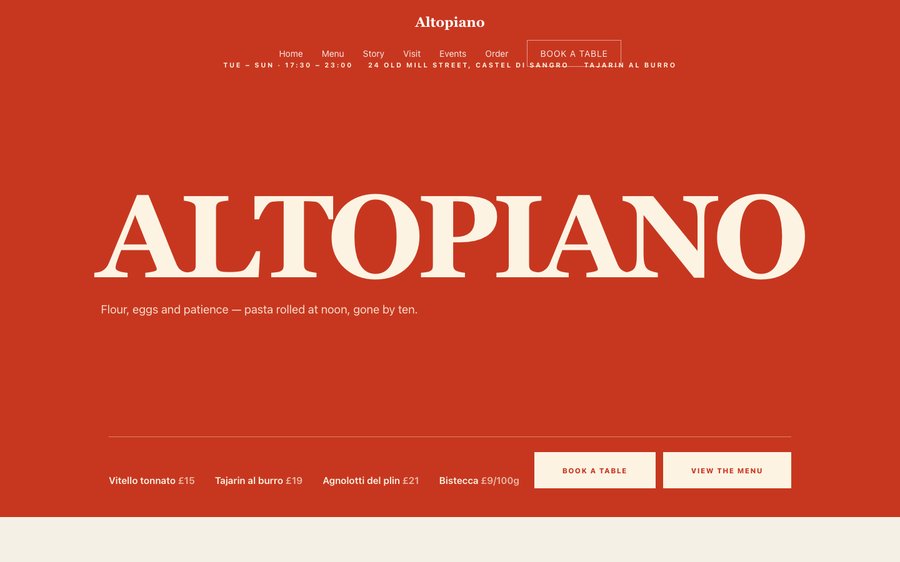
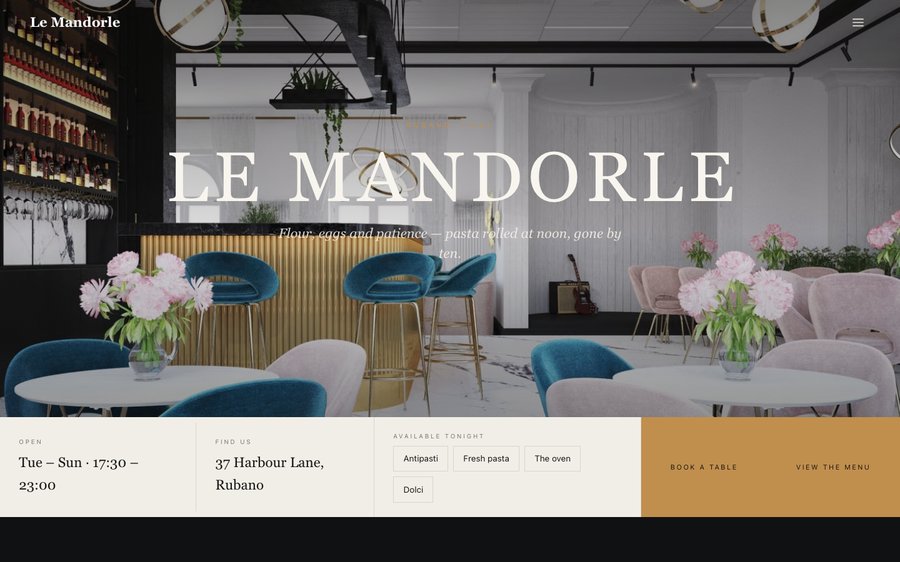
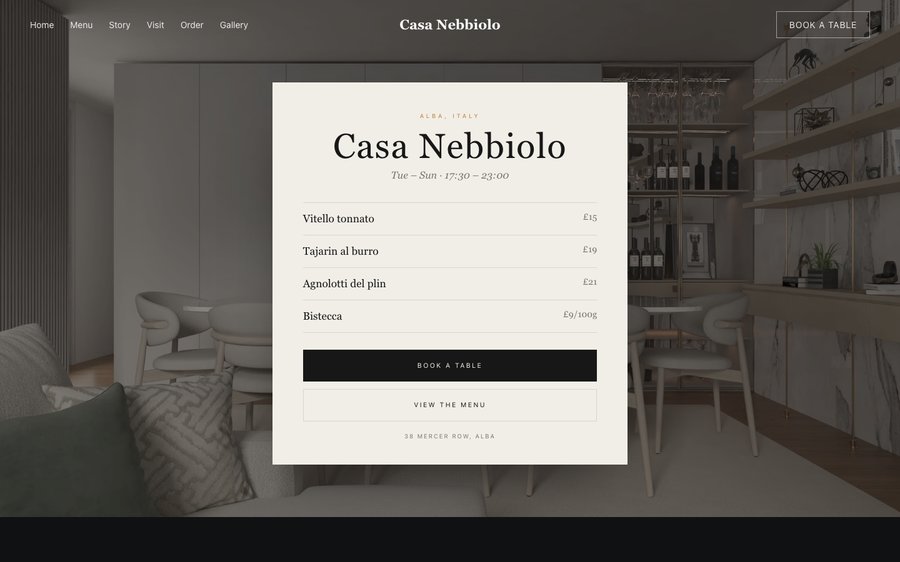
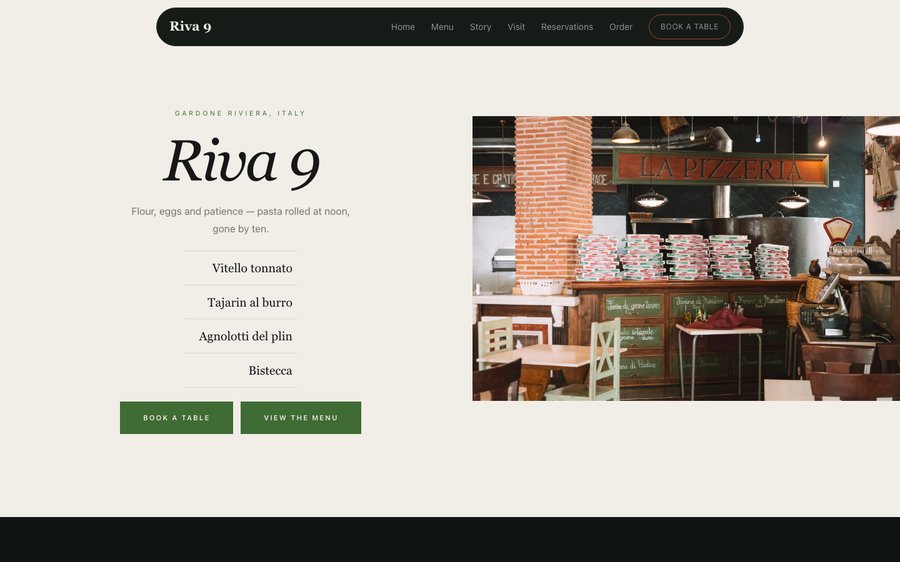
Riva 9, an Italian restaurant website template — the home page as it publishes
Riva 9 · Gardone Riviera, Italy

Starter is £19/mo excl. VAT and includes a complete restaurant website, a live structured menu, enquiry and newsletter forms, and managed search readiness. Growth is £39/mo excl. VAT and adds direct live bookings, a custom domain with managed SSL, and table and floor-plan operations. Full is £69/mo excl. VAT and adds online ordering and multi-site management for up to five restaurant sites. TableSpark commission is 0%. Stripe's standard card-processing fees apply to online payments.

It is the lowest entry point in the UK for a site that actually runs a restaurant rather than merely describing one. What a bespoke build charges thousands for and delivers in months, you get today, finished, for the price of a couple of covers. Ownership is the whole point. Prices, dishes, photographs and hours are edited by you, in seconds, at no extra cost. Small screens come first and the rest follows, and the plans carry reservations, table management, ordering and reporting — at 0% TableSpark commission.

Do not read this bit. Touch it.

Riva 9 is a deep green-black with a terracotta orange, the colours of a shaded terrace at two in the afternoon. Yours might be white tile and morning light, or brass and candles, or something nobody has built yet.

There is no demo video and no sales call. What you see on the right is the actual Theme panel from the builder, wired to the actual site renderer on the left. Press a colour. It will not ask you to register and it will not remember what you did. Go on.

Loading the live preview…

ThemePagesBlocks
Accent colour

Or pick any colour at all — the builder carries a full spectrum picker and a hex field.

Colours
Fonts
Everything here is live: the Theme tab as it ships, wired to the engine that publishes restaurants.

Go through it like a guest would

6 pages, and every one of them is here. Everything below is rendered, not photographed. The frame uses the same engine as a published site, so the tabs and the in-page links are all real. Phone shows the mobile layout.

Loading the live preview…

The real pages, live. Click anything inside the frame, or use the page tabs.

The room it imagines

An Italian restaurant with a view sells the afternoon as much as the food, and the design is arranged accordingly: a dark, warm ground that makes daylight photography glow, and a hero that leads on today’s pasta rather than the restaurant’s name.

That choice is deliberate. Guests looking at a lakeside restaurant are deciding whether to spend three hours there, and the fastest way to answer them is to say what is being made today. Everything else — the room, the terrace, the cellar — follows underneath.

The home page, section by section

Nine blocks, arranged around a long lunch:

  • Hero — Big opening image, name & buttons, in the Pasta of the Day treatment: The week of pastas ruled beside the dining room.
  • Intro statement — Big opening statement line.
  • Menu preview — A few dishes on a sliding rail.
  • Image break — Full-width image band with optional caption.
  • Signature dish — One dish, full screen — name, story, price.
  • Gallery — Grid, masonry or moving strip.
  • Reviews — Guest quotes with stars.
  • Call to action — Headline + button band.

The statement block currently reads Flour, eggs and patience — pasta rolled at noon, gone by ten. — one line you will rewrite in about four seconds.

Loading the live preview…

The Compact layout. Menu layout, rendered live. Phone view shows what a guest at the table actually sees.

Ordering, on your own terms

This is the part worth pressing. Riva 9 uses the Classic list ordering layout — the printed-menu look, with dotted leaders running from each dish to its price. The ordering page runs as a classic priced list with dotted leaders, which reads like the printed card and suits a restaurant selling composed plates rather than fast food.

It is still a working basket: quantities, inline choices, a total that stays visible, and collection or delivery asking only for what each needs. Payment goes to your own Stripe account, with no commission taken by TableSpark. Stripe’s standard card-processing fees apply to online payments.

Dine-in wants a table number and nothing else; collection wants a number to ring; delivery wants somewhere to go. No mode asks for the others’ fields.

Loading the live preview…

Press it properly

This is the frame that matters. It is the real ordering page at a real phone width — not a mock-up, not a video.

  • Pick a section and the list follows.
  • One tap on + adds a dish; the stepper keeps the count.
  • The basket stays visible at the bottom, counting as you go.
  • Portions and options are gathered in a sheet before the dish is added.

On a laptop the same page puts the basket in a panel beside the menu that follows the scroll.

Opened at the ordering block, at phone size. Add something and see the bar fill.

Where the restaurant explains itself

The story page has room for the family, the lake and the cellar — a narrative, a timeline, an interview and a gallery. The reservations page handles bookings for a room where lunch and dinner behave completely differently, and the visit page covers the terrace, the parking and the season.

Loading the live preview…

Live story page: the chef, the reasoning, the history and the photographs.

The menu builds itself from a photograph

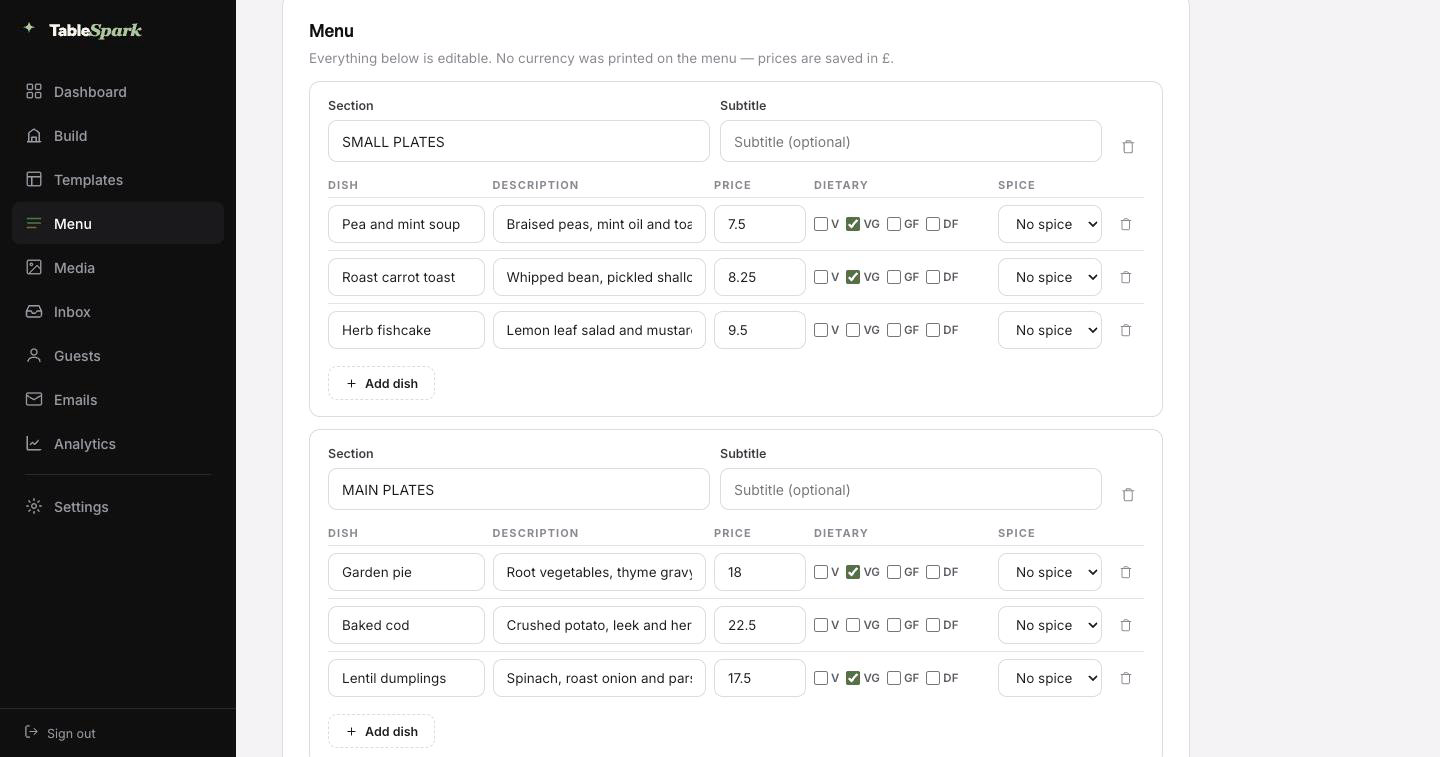
Start with the job everyone puts off. Photograph your menu — the printed card, the chalkboard, the laminated takeaway sheet — and upload it. It comes back as a real menu — sections in order, dishes, descriptions, prices, dietary marks and spice levels, all filled in. It lands in front of you for approval first, with every value editable.

The important part: this is structured data, not an image of a menu. The same structured menu drives the menu page, the ordering page, the highlights on the home page and the Restaurant structured data a search engine reads. Change a price once afterwards and all of them follow.

Every page carries a Write with AI button for the search title and description — it reads the page you are on and writes the first draft. Read it, sharpen it, publish it. The order matters.
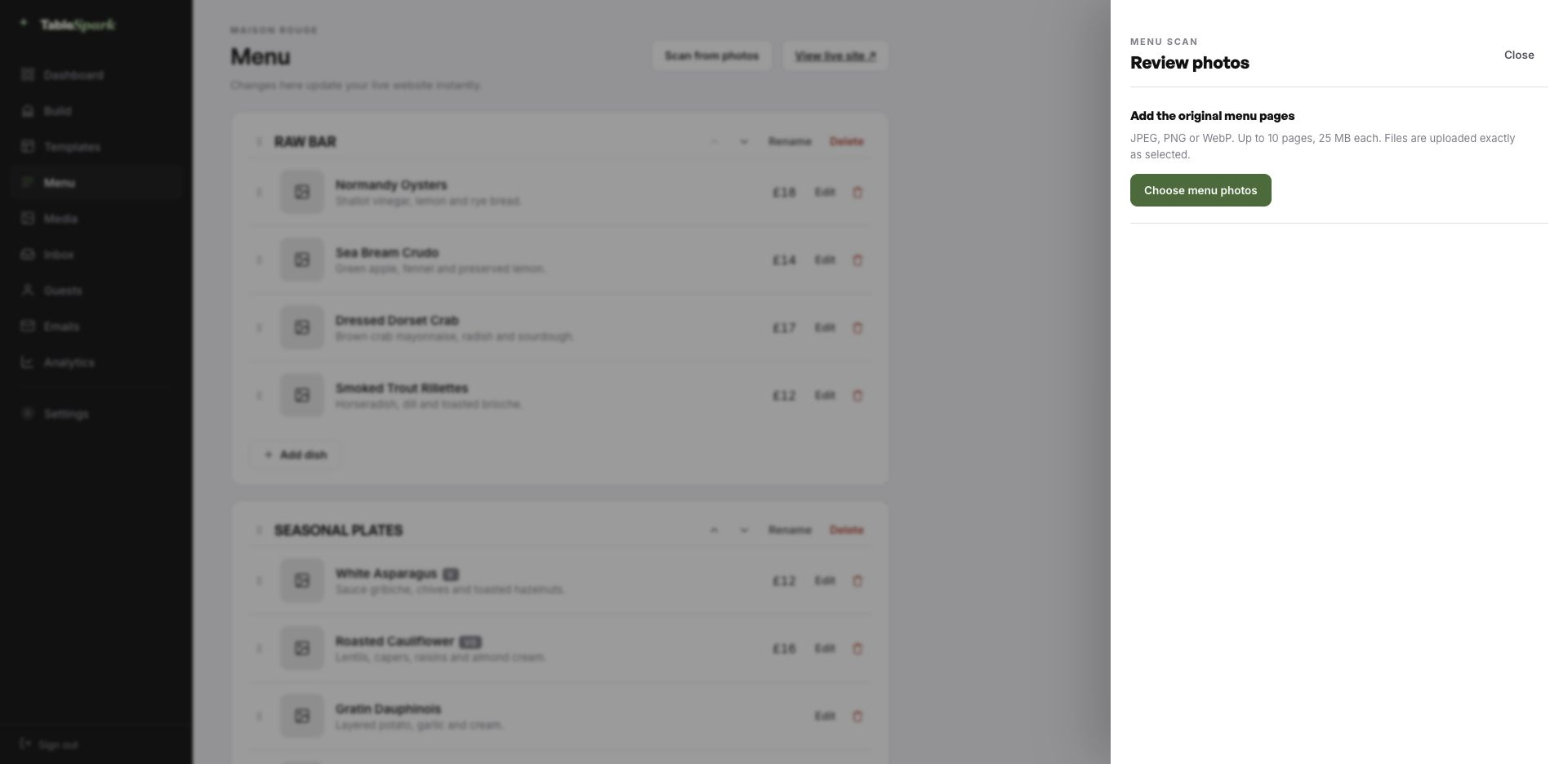
Step one
Photograph what you have

The card, the board, the sheet by the till. Ten pages at a time.

Step two
Structured, not scanned

Sections, dish names, descriptions, prices, dietary and heat marks, all editable.

Step three
Change once, change everywhere

Menu page, ordering page, home-page highlights and the Restaurant schema — because they share one menu.

The TableSpark menu editor with the Scan from photos panel open, ready to take menu photographs
One · uploadWhere it starts — Scan from photos in the menu editor. Ten pages, any of the common image formats.
The review screen after a menu scan: sections, dish names, descriptions, prices, dietary marks and spice levels, every field editable
Two · reviewEverything the AI read, laid out as editable fields — sections, dishes, prices, dietary marks, heat.

Ten minutes, then you are open

There is no kick-off call and no staging link to approve. Everything is designed and wired — you are changing the words and the photographs. Ten minutes, give or take, and it is live — with the reservation form answering immediately. Both sides get told at once — the booking in your inbox, the confirmation in theirs.

Money is one connection away. Link your Stripe account and the site can take deposits on bookings and payment on orders, paid directly to you. No per-order fee, no revenue share, 0% commission on any plan. Stripe’s standard card-processing fees apply to online payments.

  1. Pick Riva 9The whole site copies into your account, menu and all.
    1 min
  2. Change the name and the wordsClick any block and type. The restaurant name propagates everywhere.
    4 min
  3. Upload your menuPhotograph it and let the AI build the sections, dishes and prices.
    3 min
  4. PublishYou are live on your address. Bookings work immediately.
    1 min
  5. Connect StripeNow you can take deposits on tables and payment on orders — direct to your account.
    1 min

Your domain, our plumbing

The address on your napkins should be the address that loads. Start on a TableSpark address, then bring your own domain across — the site does not change, only the name it answers to.

The certificate, its renewal, the secure connection and the redirects are managed here, along with the canonical and sitemap signals that make a domain move safe. Bring your own, and the setup screen tells you the one value to paste and where.

riva9.tablespark.ukbecomeswww.riva9.co.uk

What lands in the guest’s inbox

A confirmation email is the only piece of your restaurant a guest keeps in their pocket for a week. The guest is emailed straight away with the particulars — date, time, party size, address, phone — and a link to release the table themselves. Service reminders, deposit receipts and cancellations all travel on the same design.

You are not stuck with our house style. Choose from six styles and make the rest yours: accent colour, logo, cover photograph, header layout, sign-off, links and social accounts. Connect the domain and the sender address becomes yours, which is what makes it read as genuinely from you.

That is a real email, produced here by the same renderer the booking flow uses. The buttons above it work.

Loading the email…

What you control

Everything a guest sees after they book, set in the same place as the site.

  • Six templates to start from.
  • Your accent, your logo, your photograph.
  • Your domain as the sender once connected.
  • Reminders before service and deposit receipts match it.
  • Your sign-off — A table on the terrace, then.

Try the buttons above — this is the live renderer, not a screenshot.

Yours, ours, and never locked

  • Yours from the first minute: all copy, all imagery, the entire menu with its prices, hours, address, and the colour and type choices underneath.
  • Kept for you: the engineering underneath: long menus, small screens, reflowing sections, and contrast that survives your colour choices.
  • Never locked: rearrange every page, drop blocks you dislike, pull in new ones, and add or delete pages entirely. The structure is a suggestion.

Live is not the same as findable

Publishing a page and being present in search are separate achievements. A site can be live at a working link and still be missing from Google: a stray noindex, conflicting canonicals, orphaned pages, a menu locked inside a PDF, missing structured restaurant data or unfinished search verification will each do it. That gap gets filled by directories and marketplaces, which are delighted to charge you for guests who were already looking for you by name.

That groundwork is already laid here. Neither rankings nor indexing can be guaranteed by anyone — but the setup that so often prevents them is complete here.

Before you begin

Our lunch and dinner menus are different. Can the site show both?

Yes — they are separate menus in the editor, each with its own sections and prices, and both can appear on the menu page. Publishing is per menu, so a summer terrace menu can be prepared in advance and switched on the day the season starts.

Can we take bookings for the terrace separately from the dining room?

Yes. Table inventory is defined by you — areas, table names, covers — so a terrace can be its own area with its own tables. The booking form respects the availability of each, and a reservation carries the area it was made for through to the inbox and the confirmation email.

What does the guest get after they book?

A confirmation in the restaurant’s name, immediately, with the date and time, the party size, your address and phone number, and a cancellation link so a change of plan does not cost you the cover. Pre-service reminders, deposit receipts and cancellation notices share it. The look is entirely yours — six templates, accent colour, logo, cover photograph, header layout, sign-off wording, links, social accounts — and your domain becomes the sending address once connected.

How technical do we have to be?

Not a line. Sections are edited by clicking them, images by uploading them, order by dragging. The same block library that built this page is the one you use.

What does it cost us to take an order here?

It is part of the Full plan, and there is no commission at any level — 0%. Stripe’s standard card-processing fees apply to online payments. Money is paid into your own account.

What is the quickest way to load our menu?

No — photograph it and upload it. TableSpark reads the menu and builds the structured version for you: sections in order, dish names, descriptions, prices, and the dietary and spice marks where they are legible. You review the result and correct anything the camera got wrong. From there it is real data, not a picture, so the same menu drives the menu page, the ordering page, the home-page highlights and the Restaurant structured data a search engine reads — change a price once and all of them follow.

Begin with Riva 9

Copy this design into your account, change the words, add your menu and publish — usually the same afternoon. Free to build; you only pay when you go live.

Use this template free

Running a Italian kitchen? See all Italian restaurant website templates.

More Italian Classic templates

Related reading

← Browse all 50 restaurant website templates